Xactimate®, Cotality™, QuickBooks, T&M: When and How to Use Each Effectively
Claims Adjuster
5 min read
If you run a restoration business, you already know there’s no single “right” way to estimate every job. What works for a $2,500 emergency dry‑out isn’t what you’d use for a $95,000 rebuild. And what an insurance carrier expects is very different from what a homeowner paying out of pocket expects. After years in the field, most of us end up with a toolkit of estimating methods — Xactimate®, Cotality, QuickBooks, and good old Time & Materials. And the real skill is knowing when to use which one. The trick is that all of them depend on the same thing: a clean, complete scope of work. That’s the part that has to be consistent, no matter how you price the job.
Why the Scope Matters More Than the Estimating Method You Use
Before we get into the “sweet spot” for each estimating method, it’s worth calling out the one universal truth: your estimate is only as good as your scope. If the scope is incomplete or unclear, you’ll spend the rest of the job chasing supplements, explaining line items, or eating costs.
That’s why it’s ideal to document every job digitally in the field. A tool like magicplan helps you capture the entire story once, right on site, by collecting floor plans, photo documentation, affected materials, measurements, and notes. That same “visual documentation style” scope can then feed into Xactimate, Cotality, QuickBooks, or a T&M invoice without rework.
The front end stays the same; only the pricing method changes. When your scoping process is consistent, your estimating process becomes flexible.
With that foundation in place, here’s how each estimating method fits into a modern restoration workflow.
Xactimate® Estimate Software: The Standard for Insurance‑Driven Work
If you’re doing carrier‑based projects, Xactimate® software is still the industry standard for insurance claims software. Adjusters typically expect it, many TPAs require it, and most insurance workflows are built around it. Xactimate® shines when the job is complex enough that line‑item detail matters — think multi‑room water losses, rebuilds, or anything involving structural repairs.
Where Xactimate® works best is when you need:
A format the carrier will immediately recognize
Line‑item details that align with industry pricing databases
A clear audit trail for supplements
A structured estimate for larger mitigation or reconstruction jobs
Many contractors use Xactimate® for any job that’s going through insurance and is above the “quick invoice” threshold (usually around $5,000 and up). It’s also ideal when you know the adjuster will scrutinize quantities or when you need to justify specific materials or methods.
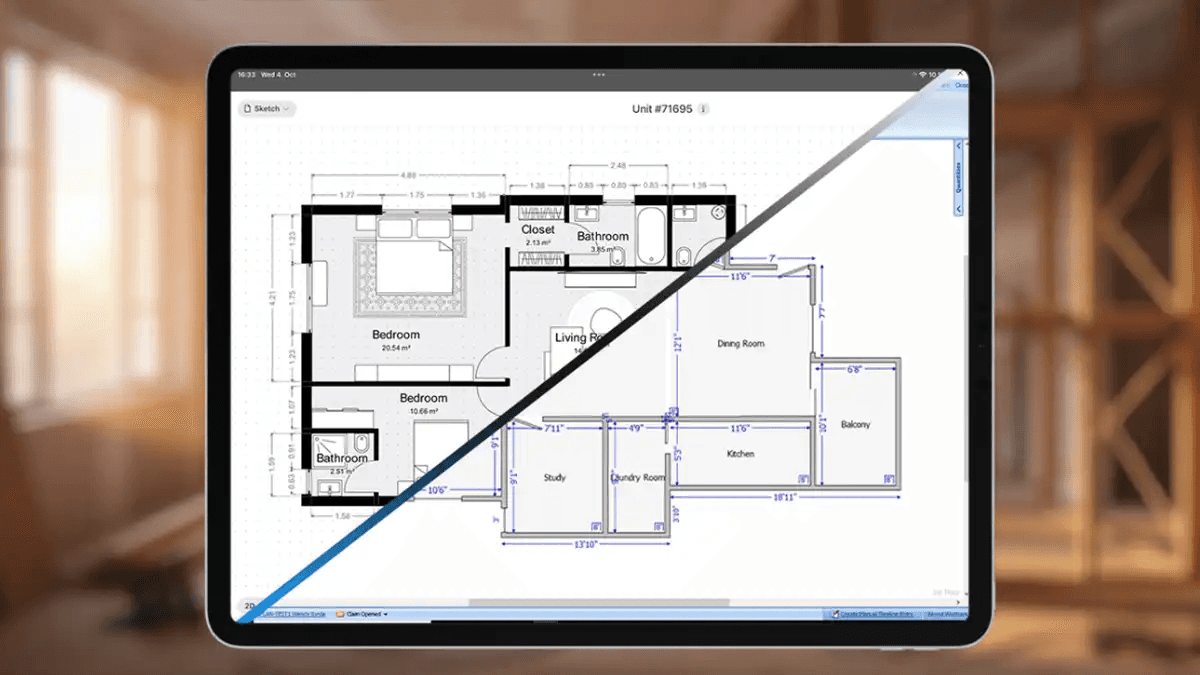
One thing that makes the process smoother is being able to send a complete scope directly into Xactimate. For example, the magicplan app exports EXS files, so you can capture the job in the field and hand off a clean, structured scope that drops right into your Xactimate program. That eliminates the back‑and‑forth of remeasuring at the site or retyping notes later.
SEE: How to use the Xactimate® Integration with magicplan
Cotality™: A Modern Alternative for Restoration‑Focused Estimating
Cotality has gained traction as a restoration‑specific estimating platform that aims to simplify the process while still providing structure. It’s especially useful for contractors who want something more streamlined than Xactimate® but still need a professional, itemized estimate.
Cotality tends to work well for:
Mid‑sized mitigation jobs
Smaller rebuilds
Jobs where you want transparency without overwhelming the customer
Contractors who want a simpler workflow but still need detailed, proper documentation
If Xactimate® is the heavyweight tool for insurance‑driven work, Cotality can be considered the lightweight option. It’s structured enough to keep your pricing consistent but flexible enough for jobs where the carrier isn’t dictating the format.
Again, the key is the scope. When you start with accurate measurements, photos, and material notes, you can move that data into Cotality and build an estimate quickly without sacrificing accuracy.
Check out: How magicplan Integrates with Cotality
QuickBooks: Fast, Simple, and Perfect for Small Jobs
Every restoration contractor has those small jobs that don’t justify a full Xactimate® estimate. Maybe it’s a $1,200 carpet pull‑up, a $3,000 dry‑out, or a $4,500 patch‑and‑paint project. For jobs under roughly $5,000, QuickBooks is often the fastest and most practical option.
QuickBooks works best when:
The job is small and straightforward
The customer is paying out of pocket
You don’t need line‑item details
You want to invoice quickly and get paid faster
Most contractors use QuickBooks for simple mitigation jobs, minor repairs, or anything where the administrative overhead of more complex software would cost more than the job is worth. It’s also ideal for property managers or repeat clients who just want a clean invoice, not a 20‑page estimate.
Yet, even with QuickBooks, the scope still matters. If you capture the job accurately in magicplan, you can pull the quantities and notes you need to create a QuickBooks invoice without guessing or walking the site twice.
Time & Materials (T&M) Method: When Flexibility Is the Priority
T&M is the most straightforward method: you bill for labor hours, equipment, and materials as they’re used. It’s not always the right choice, but it’s perfect for certain situations.
T&M is ideal when:
The job scope is unclear at the start
You’re dealing with hazardous materials or specialty work
The customer wants transparency
The job is evolving in real time (e.g., mold remediation, fire cleanup)
Some contractors use the T&M method for mitigation jobs where the conditions change daily. It’s also commonly used for many commercial clients who prefer the T&M approach.
But the challenge with T&M is claims documentation. You need to show what was done, when, and why. That’s where a consistent scoping process helps. If you capture photos, materials, and progress notes in magicplan, you have a clear record that supports your T&M invoice and reduces disputes.
LEARN MORE: Navigating Time and Materials (T&M) Contracts for Mitigation Work
Bringing It All Together on Your Next Job
Think of the estimating decision as a second‑step choice, not the first. Start by documenting the job digitally with restoration company software like magicplan: build the floor plan, capture photos and details, and outline the scope of work in clear, room‑specific terms. Once that foundation is in place, ask a few simple questions: Is this a small, direct‑pay job that can live comfortably in QuickBooks? Is it a heftier, carrier-involved job that calls for Xactimate® or Cotality? Or is the scope open‑ended enough that T&M makes more sense?
In other words, the way you scope does not have to change just because your estimating output does.
When you choose the estimating method that matches the project type and client, and you back it up with a consistent, field‑ready scope, the whole process feels less like reinventing the wheel and more like applying the right attachment to a tool you already trust. That is how you protect your margins, reduce disputes, and keep your estimating workflow flexible — without sacrificing the accuracy that keeps your business healthy.
LOOKING TO SAVE TIME WHEN PLANNING NEW PROJECTS?
Share
Why the Scope Matters More Than the Estimating Method You Use
Xactimate® Estimate Software: The Standard for Insurance‑Driven Work
Cotality™: A Modern Alternative for Restoration‑Focused Estimating
QuickBooks: Fast, Simple, and Perfect for Small Jobs
Time & Materials (T&M) Method: When Flexibility Is the Priority
Bringing It All Together on Your Next Job

Benjamin Brown
Director of Sales Acquisition





