Water Damage Documentation: How to Capture Everything Before You Leave the Job Site
Restoration
4 min read
Every restoration company knows the feeling.
Your crew spends hours on site finding the source of the loss, documenting the damage, setting equipment, and explaining the situation to the homeowner.
Then everyone leaves.
A few days later the office starts asking questions:
"Which wall was affected?"
"Did we photograph that bedroom?"
"Was the closet damaged or just inspected?"
The problem isn't that your crew didn't know the answers.
It's that the knowledge stayed with the people who were standing in the property.
The strongest restoration companies don't simply collect photos, they create a complete field record that follows the job from the first inspection through mitigation and into reconstruction. That's exactly the approach today's restoration teams need to eliminate callbacks, reduce duplicate work, and build documentation that holds up during insurance reviews.
Start with the Full Picture
Every property tells a story, and the first step is documenting it before anything changes.
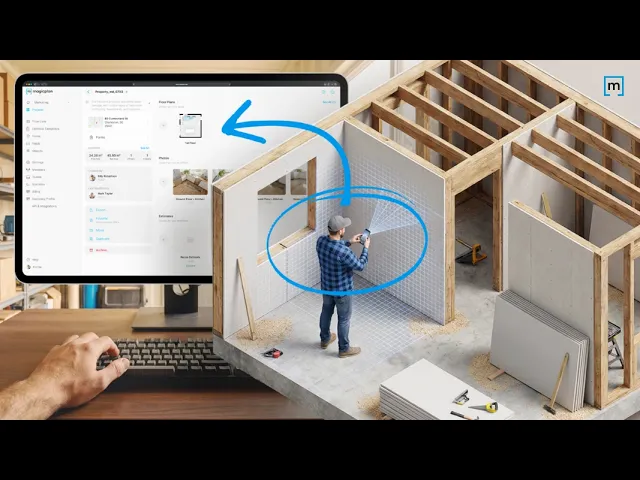
Rather than jumping straight to damaged areas, begin by scanning every room, including spaces that show no visible signs of water intrusion. This creates a complete record of the property's condition and establishes a valuable baseline for everyone involved.
In the example walkthrough:
The kitchen is documented even though it was not affected.
Bedrooms with little or no damage are still captured.
Small spaces such as closets are included as well.
This approach provides context, not just evidence of damage. If questions arise later, there is already a complete digital record of the property.
Capture More Than Just Water
Water damage rarely looks the same from one project to the next.
During documentation, look beyond the obvious.
Record indicators such as:
Water stains
Bubbling paint
Mold growth
Surface deterioration
Areas that appear unaffected

These details help paint a complete picture of the loss while supporting more informed decisions during mitigation and repairs.
Document Room by Room
A consistent workflow makes documentation easier to complete and easier to review later.
Moving through the property one room at a time helps ensure nothing is missed while creating a logical structure for reports.
For example:
Kitchen
Laundry room
Bathroom
Bedroom
This organized approach also makes it easier for adjusters, project managers, and other stakeholders to understand the scope of the project without physically visiting the property.
Clearly Mark Affected Areas
Documentation becomes even more valuable when damage is clearly identified.
After completing the scan, mark the affected walls, and floors directly within the project. In the example, damaged sections of the bathroom walls and the area surrounding the laundry machine are highlighted before exporting the final documentation.
Visual annotations help everyone quickly understand:
Where mitigation is required
What areas were impacted
Which spaces remain unaffected
This creates greater clarity during estimating, repairs, and claim reviews.
Protect Customer Information
Documentation should be complete, but it should also be secure.
Before sharing project files externally, review the documentation and remove any sensitive customer information. Redacting personal details before exporting helps protect homeowner privacy while ensuring reports remain ready for collaboration.
Better Documentation Supports Better Decisions
Water damage documentation is about more than collecting photos.
A complete digital record helps restoration professionals communicate clearly, justify decisions, reduce misunderstandings, and keep projects moving forward with confidence.
By documenting every room, identifying affected areas, protecting customer information, and exporting organized project data, restoration teams create a reliable foundation for every stage of the restoration process.
Because when everyone works from the same information, better outcomes follow.
READ MORE: How to Migrate from DocuSketch to magicplan (A Step-by-Step Guide)
Share
Start with the Full Picture
Capture More Than Just Water
Document Room by Room
Clearly Mark Affected Areas
Protect Customer Information
Export with Confidence
Better Documentation Supports Better Decisions

Bernd Wolfram
CPO