How to Migrate from DocuSketch to magicplan (A Step-by-Step Guide)
Restoration
4 min read
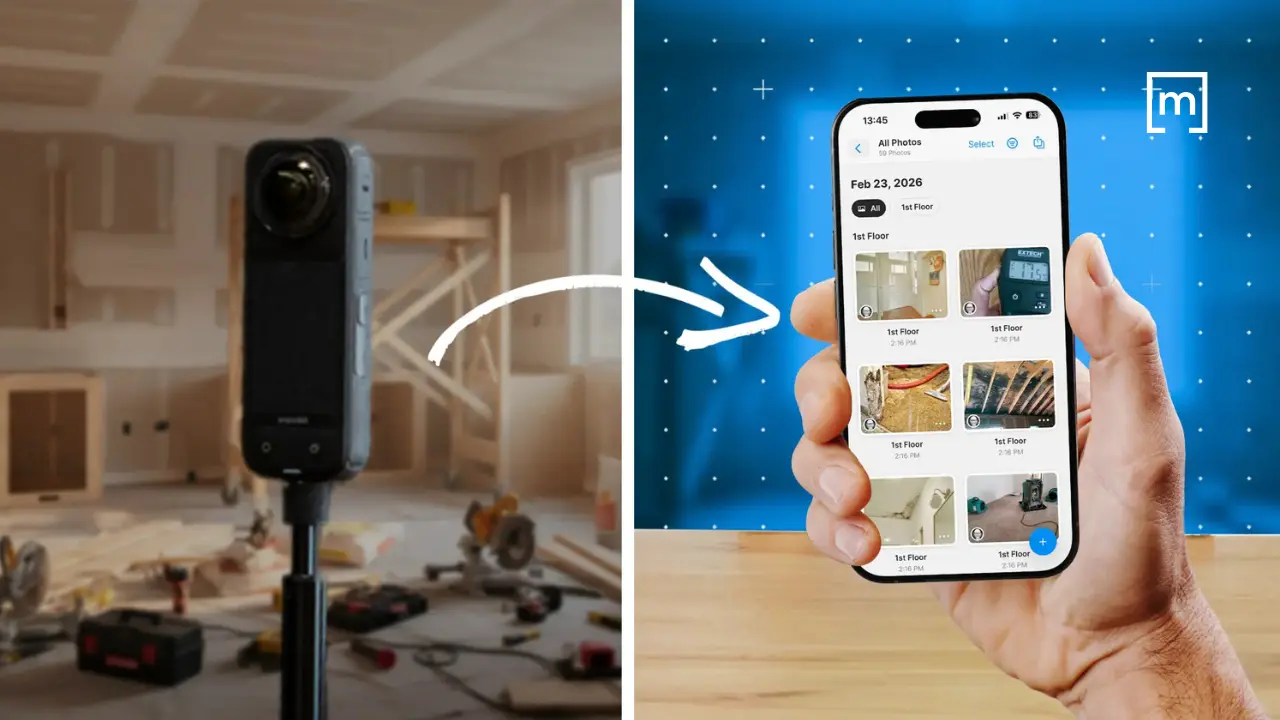
When you run a restoration company, you don’t have time for restoration software drama. You need tools that help your team document a job quickly, capture what matters, and hand it off cleanly to estimating — without slowing down production or retraining your entire staff every time a platform changes direction.
If you’ve been using DocuSketch for a while, it’s probably woven into your workflow. Your techs know how to walk a site with it. Your estimators know what to expect from the output. And you may be hesitant to touch anything that “works well enough,” even if it creates friction behind the scenes.
But here’s the reality many contractors are facing: DocuSketch’s workflow is evolving, and the ‘cost of switching software’ argument isn’t what it used to be. If you’ve been thinking about moving to magicplan — or if you’re simply trying to understand what a practical transition looks like — this guide is written for you. Not as a sales pitch, but as a field-aware roadmap for making the shift without disrupting jobs in progress.
Why Contractors Are Re-evaluating Their Claims Documentation Workflow
Let’s start with the pain points you already know too well:
Delays between capture and usable documentation
Inconsistent field habits across technicians
Too much cleanup work before estimating can begin
Handoff friction between field and office
Training overhead every time a tool changes or adds steps
DocuSketch has helped many restoration teams standardize documentation, but it also leans heavily on a service-driven workflow. That means you’re often waiting on someone else to finish the job before you can move forward. When you’re dealing with any type of restoration project—water, mold, reconstruction, contents, or general mitigation—waiting can cost you time, clarity, and sometimes scope.
But magicplan takes a different approach. It’s built for contractors who want more control in the field, a direct path from capture to estimate, and less dependency on external processing. The goal isn’t to replace one app with another; it’s to streamline the entire capture-to-estimate pipeline.

What You Actually Gain by Moving to magicplan
If you’re considering a switch, it’s not because you want new software. It’s because you want fewer headaches. Here’s what contractors typically gain:
Field Control Without the Lag
magicplan lets your techs document rooms, capture photos, add notes, and build scope details on site without waiting for a processed tour or corrected floor plan. That means:
Faster turnaround
More accurate documentation
Less back-and-forth with the office
Cleaner Handoffs to Estimators
Exporting to restoration estimating software is straightforward. And because magicplan ties photo documentation, notes, and measurements directly to the floor plan, estimators get a clearer picture of the job. No more digging through folders or trying to interpret someone’s capture habits.
Standardized Capture Across Technicians
You can build templates, checklists, and required capture items so every tech documents a job the same way. That consistency is gold when you’re dealing with adjusters or internal QA.
A Shorter Path to Estimate-ready Files
magicplan exports .ESX files directly to Xactimate® software, enabling seamless transfer of floor plan sketches, room dimensions, photos, and annotation data. That means fewer steps between the first visit and the estimate and fewer opportunities for things to get lost or misinterpreted.
Less Reliance on Service-Heavy Processes
If you’ve ever waited on a processed tour or had to request corrections, you already know the pain. magicplan reduces that dependency by giving your team the tools to produce usable documentation immediately.
A Field-Practical Migration Path
Here’s the part that probably interests you the most: a phased, step-by-step approach that makes the software transition completely doable.
Step 1: Identify Where DocuSketch Lives in Your Current Workflow
Before you change anything, map out how your team uses DocuSketch today:
Who captures the site?
When does estimating get the files?
What cleanup or corrections are needed before estimating can begin?
Where do delays or frustrations happen?
This gives you a baseline so you can make a clean transition.
Step 2: Start With One Technician or One Job Type
Don’t flip the whole company at once. Pick one of the following for starters:
One tech who’s comfortable with mobile apps
Or one job type (water mitigation, mold, reconstruction, contents, etc.)
This lets you test the workflow without risking production.
Step 3: Build Your magicplan Templates
magicplan allows you to create:
Room templates
Capture checklists
Required photos
Standard notes
Job-type-specific documentation requirements
This is where you standardize what “good documentation” looks like for your company.

Step 4: Run Both Tools in Parallel for 2–3 Jobs
This isn’t about redundancy, it’s about confidence. Running both tools briefly helps you:
Compare outputs
Validate that magicplan captures everything you need
Confirm that estimators can work from the new format
Most contractors find that magicplan’s clarity actually reduces the amount of cleanup needed.
Step 5: Train Your Team in Short, Field-Focused Sessions
Your techs don’t need a classroom session. They need:
A 10-minute walkthrough on how to start a project
A quick demo of capturing rooms
A checklist of what to document for each job type
A sample plan they can reference
Keep it practical and tied to real jobs.

Step 6: Transition Estimators and PMs
Estimators often feel the most pain when documentation is inconsistent. Show them:
How photos link directly to the plan
How notes and measurements are embedded
How scoping can happen immediately
When estimators see the reduction in cleanup work, they usually become your biggest advocates.
Step 7: Transition to Scoping All New Jobs with magicplan
Once your team is comfortable, start all new jobs in magicplan. Keep DocuSketch only for jobs already in progress to avoid confusion.
Addressing the Common Fears About Switching
“My team is already trained on DocuSketch.”
True — but they’re trained on capturing a site, not on a specific app. Most techs pick up magicplan quickly because it mirrors how they already think about documenting a job.
“I don’t want to slow down site visits.”
magicplan is built for speed. Most contractors find that once templates are in place, capture is actually faster.
“I’m worried about losing consistency.”
magicplan’s templates and required capture items actually increase consistency across techs.
“Estimators won’t want to learn something new.”
Estimators usually care about one thing: getting clean, complete documentation. magicplan gives them that with fewer steps.
“Switching tools will disrupt jobs in progress.”
Not if you follow the phased approach above. You can migrate new jobs while finishing old ones in DocuSketch.
Why This Migration Is Really a Process Improvement
This isn’t about swapping one app for another. It’s about tightening your entire workflow:
Less waiting
Less cleanup
Less friction
More control in the field
More consistent documentation
Faster estimating
Better adjuster communication
When you look at it through that lens, the question isn’t “Should we switch?” It’s “How much longer do we want to deal with the inefficiencies we already know exist?”
Conclusion
If you’ve been using DocuSketch for years, switching tools may feel risky at first. But when you consider that magicplan is about building a cleaner, more controlled, more predictable workflow from the first site visit to the final estimate, the switch makes a lot of sense.
Plus, a phased, step-by-step approach, makes the transition completely doable — without slowing down production or disrupting jobs in progress. And when your team sees the speed and clarity of the new workflow, the switch will stop feeling like a burden and start feeling like an upgrade.
READ MORE: Modern Scoping: How Restoration Pros Capture Every Line Item
Share
Why Contractors Are Re-evaluating Their Claims Documentation Workflow
What You Actually Gain by Moving to magicplan
A Field-Practical Migration Path
Addressing the Common Fears About Switching
Why This Migration Is Really a Process Improvement
Conclusion

Benjamin Brown
Director of Sales Acquisition