Restoration Documentation: 10 Best Practices for Building a Defensible Scope of Work
Restoration
5 min read
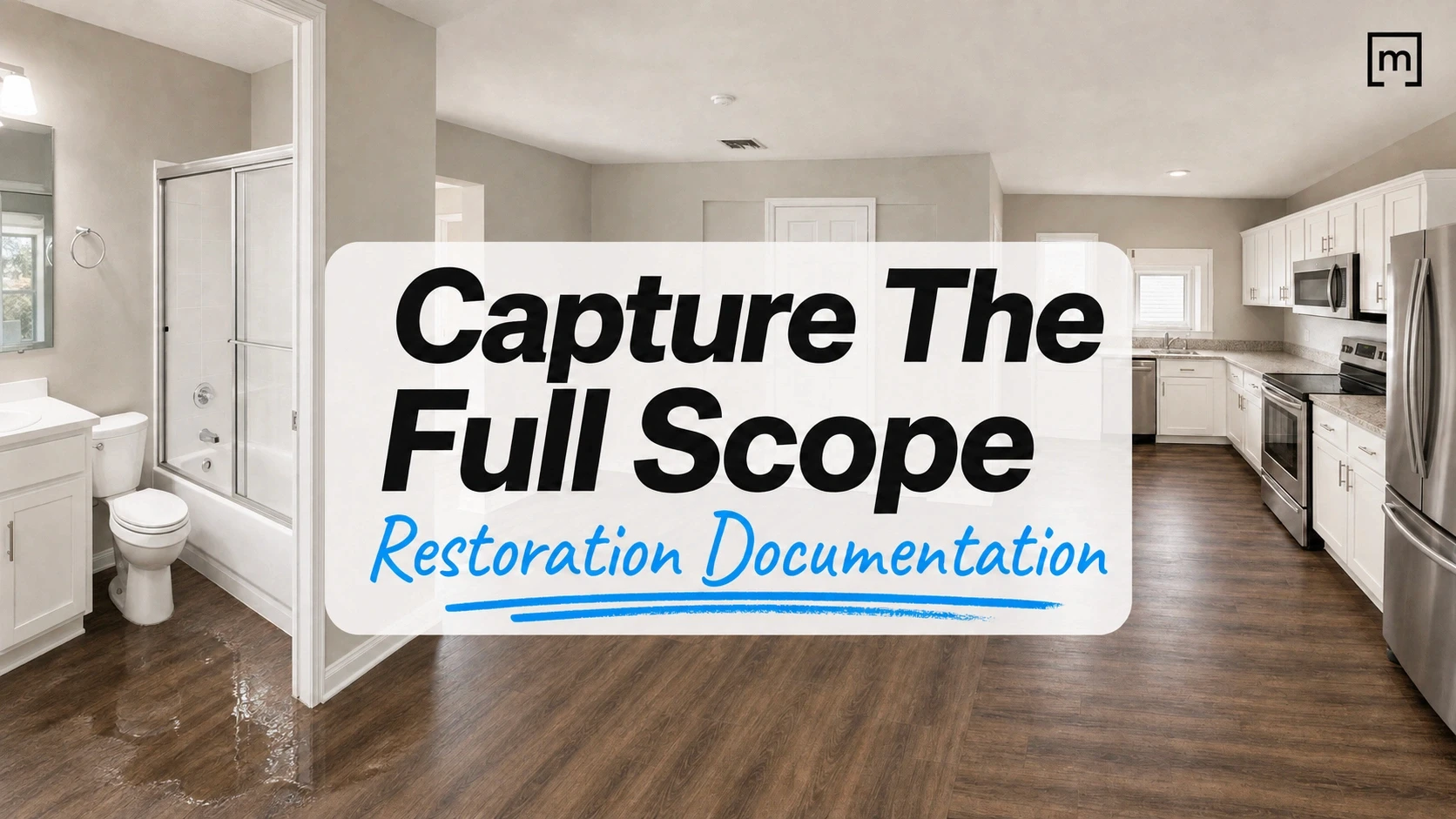
Two restoration companies can walk into nearly identical water losses.
Same category. Same square footage. Same carrier. Similar work required.
Both companies complete the job correctly. Both submit an estimate.
But one gets its estimate approved while the other spends the next several weeks answering questions, revising a supplement, or trying to prove why certain work was necessary.
The difference isn't always the work itself.
Often, it's what was documented while the crew was standing in the loss.
Your technicians see conditions that nobody reviewing the file later will ever see firsthand. They know why a wall needs a flood cut, why insulation needs to come out, why a toilet has to be detached, or why an affected area extends farther than the first photo suggests.
Good restoration documentation makes sure that knowledge doesn't leave the property inside the technician's head.
If you look at restoration companies that consistently produce stronger documentation, you'll notice the same patterns. They don't necessarily spend more time on site. They simply make better use of the time they're already there. Here are 10 practices that help ensure valuable field knowledge doesn't disappear before the estimate is ever written.
1. The Most Valuable Information Is Captured in the Field
The first few minutes of a restoration job carry an enormous amount of context.
The technician walks the property. They see the source of the loss, how materials are affected, where water may have traveled, what appears pre-existing, and which areas require closer investigation.
Then reality kicks in.
The homeowner has questions. Another emergency call is waiting. The technician takes some photos, records a few measurements, writes down what seems important, and moves on.
Back at the office, someone who wasn't at the property has to reconstruct the loss from what came back.
That gap is where problems begin.
The presentation describes exactly this scenario: estimators rebuild jobs from photos and notes while desk adjusters make decisions about properties they have never walked. Valuable context remains with the technician instead of becoming part of the job record.
The question isn't whether your technicians understand the loss.
It's whether the rest of the organization receives what they know.
2. Document the "Why" Not Just the "What"
A photo can prove that drywall was damaged.
It doesn't necessarily prove why a particular line item was required.
Imagine a technician opens a bathroom wall and discovers that the damage extends farther behind the toilet than expected.
Standing there, the required work may be obvious:
Flood cut the affected wall
Remove the insulation
Detach the toilet
Plug the drain line
The technician understands exactly why those steps are necessary.
But if the file contains only a few general photos and none of that context is tied to the bathroom, the estimator is left filling in the blanks. When the scope reaches the carrier, the reviewer sees additional work without the same evidence the technician saw in the field.
The presentation uses this exact scenario to illustrate how a supplement can be rejected simply because the field observation never became usable documentation.
That's why good restoration documentation should answer three questions:
What did you find? Where did you find it? Why does it affect the scope?
If those answers are captured while the evidence is still visible, there's much less to reconstruct later.
3. Build the Sketch and Documentation at the Same Time
A restoration sketch shouldn't exist separately from the rest of the job documentation.
The floor plan can become the structure that organizes the loss.
As technicians move through the property, they can capture the measured floor plan while simultaneously adding photos, voice notes, affected areas, moisture readings, humidity levels, and other relevant documentation to the rooms where those conditions were observed.
That changes the value of the sketch.
Instead of being just a drawing used to calculate square footage, it becomes a map of the job.
A photo belongs to a room.
A moisture reading belongs to a location.
An affected area corresponds to actual dimensions.
A scope item can be connected to the part of the property where the work is required.
This makes the file easier to understand for everyone who wasn't standing inside the loss.
And because photos are captured as part of the room workflow, the technician doesn't have to spend time later sorting hundreds of images and trying to remember where each one came from.
4. Capture More Context Without Creating More Paperwork
Better documentation shouldn't mean turning your best technicians into administrative assistants.
That's an important distinction.
If your documentation process requires crews to stop after every observation, open another system, type paragraphs, upload files, rename photos, and repeat information they've already entered somewhere else, adoption will suffer.
The better approach is to capture context as a byproduct of the work already happening.
For example, the workflow demonstrated in the presentation combines multiple types of documentation during the property capture:
Photos can be attached automatically to the room where they're taken.
Voice dictation can preserve the technician's observations as transcribed room-level notes.
Affected areas can be marked directly against the sketch.
Moisture and humidity readings can be connected to the project.
Video recordings can preserve additional visual evidence of the property.
Virtual walkthroughs can provide spatial context that lets someone revisit the room later without physically returning to the property.
Photos can also be annotated or redacted before they become part of the documentation.
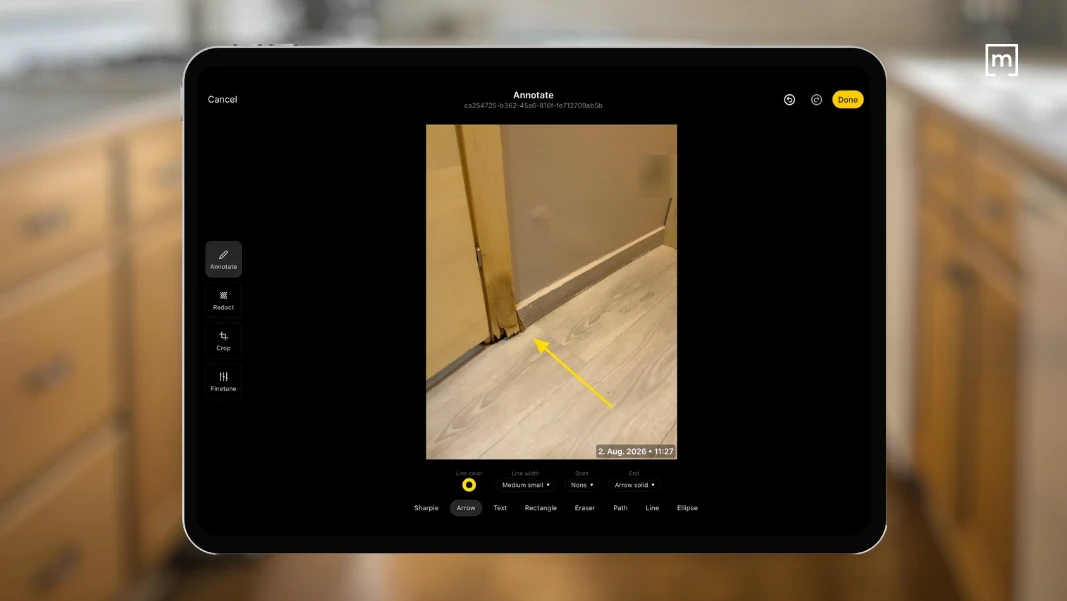
The goal isn't to collect every possible piece of data.
It's to make it easy for technicians to preserve the information that could matter later while they already have the evidence in front of them.
5. Turn Field Observations Into a Defensible Scope of Work
Documentation becomes much more useful when it carries directly into the scope.
Once the property has been sketched and affected areas identified, scope line items can reference the spatial information already captured in the floor plan.
That means quantities don't necessarily have to be calculated again from scratch.
A floor-related line item can reference floor measurements. A wall-related task can reference specific walls. A scope item can be connected to an affected area documented during the inspection.
This closes an important gap between what the technician sees and what the estimator eventually writes.
Instead of:
Field → notes → photos → office interpretation → scope
You move closer to:
Field observation → documented condition → measured quantity → scope item
That's a much stronger chain of information.
It also reduces reliance on memory. The estimator isn't being asked to interpret what the technician probably meant three days ago. They're working from the record the technician created while standing in the loss.
READ MORE: Stop Scope Creep Before It Starts: The Power of Restoration Documentation
6. Let the Estimator Start Where the Technician Finished
One of the most expensive forms of waste in restoration is work that gets done twice.
The technician measures the property.
Then the estimator re-enters those measurements.
The field documents the work.
Then someone in the office rebuilds the scope.
Mitigation finishes.
Then reconstruction measures the same rooms again.
None of those individual steps feels catastrophic. Across hundreds of jobs, however, they add up.
A connected workflow allows the information captured during the inspection to keep moving.
In the workflow demonstrated in the presentation, the scope can be exported as a PDF or carried into an ESX file. Line items added during scoping can transfer into Xactimate®, where pricing populates after the appropriate price list is selected. This also helps restoration teams maintain consistent property and claims data across estimating workflows and platforms within the broader Cotality ecosystem.
This doesn't remove the estimator's expertise.
It lets the estimator spend that expertise on estimating, rather than reconstructing basic field information.

The field captures what exists and what was observed. The estimator determines how that information translates into the final estimate.
Each person does the work they're best positioned to do.
READ MORE: 7 Ways a Floor Plan App Can Simplify Estimate Creation for Restorers
7. Build Documentation Before Someone Asks for Proof
There's a big difference between documenting a condition when you discover it and trying to prove it weeks later.
Materials get removed.
Rooms dry.
Equipment moves.
Reconstruction begins.
The homeowner's memory changes.
Once the original condition is gone, creating evidence retroactively becomes difficult or impossible.
That's why documentation should be proactive rather than reactive.
Photos, videos, annotations, measurements, moisture readings, and virtual walkthroughs create layers of evidence that can be reviewed later. The presentation specifically notes that recorded scan video can be revisited if questions arise about issues such as pre-existing damage.
This doesn't mean every carrier question disappears.
It means that when someone asks "Why was this necessary?" your first move can be opening the job record instead of calling the technician and asking what they remember.
That's a very different position to negotiate from.
8. Make Every Job Land on the Estimator's Desk the Same Way
Every restoration owner knows the problem.
One veteran technician brings back an immaculate file.
Another takes great photos but forgets notes.
A newer technician documents what they think matters, but the estimator discovers the missing pieces after the crew has already left.
Eventually, the owner or senior estimator becomes the safety net.
They know what "complete" is supposed to look like, so they're constantly reviewing jobs, chasing missing information, and teaching the same process again.
The presentation makes an important point here: you can't clone your best technicians, but you can standardize how their field knowledge enters the company.

A consistent restoration documentation workflow gives every technician the same structure:
Capture the property.
Document the conditions.
Tie evidence to its location.
Record the scope.
Complete required forms and checklists.
Send the same organized job record back to the office.
The technician's experience still matters. You're not trying to automate their judgment. You're giving that judgment somewhere consistent to go.
9. Carry the Same Job Record From Mitigation Into Reconstruction
The value of good documentation doesn't end when mitigation does.
The same property measurements, room structure, photos, and project information can remain useful when the job moves into reconstruction.
The presentation highlights that multiple scopes can be created for the same project, including separate scopes during mitigation and reconstruction. Detailed sketch reports can also provide the measurements needed later in the job.
That's important because the handoff between mitigation and reconstruction is another place where context often disappears.
If reconstruction starts from a blank file, someone has to rebuild knowledge that the company already had.
Instead, think of the job as one record that gets richer over time.
Initial inspection → mitigation → monitoring → scope → estimate → reconstruction.
The people change. The purpose of the information changes. But the property doesn't need to be rediscovered at every stage.
10. Create a Job File That Can Answer Questions Without the Technician
A useful restoration file should stand on its own.
Someone opening it should be able to understand:
What happened?
Where did it happen?
What was affected?
What did the technician observe?
What measurements support the scope?
Why was the work necessary?
What changed throughout the project?
Reporting turns the field record into something that can be consumed by other people.
The presentation demonstrates sketch reports with detailed measurements, interactive photo reports that can include links to videos and 360° images, and broader project reports containing forms, checklists, floor plans, and visual documentation. It also notes that captured information can include time and geolocation data.
The objective isn't a prettier PDF.
It's a file that reduces the number of times someone has to call the technician and ask: "Do you remember what happened on this job?".
Better Restoration Documentation Protects More Than the Estimate
It's easy to frame documentation as something you do for the carrier.
That's too narrow.
A strong field record helps the estimator understand the scope.
It helps the project manager see what the technician found.
It helps the reconstruction team understand the property without starting from scratch.
It helps the customer understand what was discovered and why work is being performed.
And it helps the owner create a repeatable standard that doesn't depend entirely on who happened to run the loss that day.
Most importantly, it preserves the expertise of the person who knows the job best: the technician who actually stood inside the property.
The presentation sums up that principle clearly: the goal is to capture that knowledge once on site and carry it through the job, from the first reading through the rebuild.
The Bottom Line: Capture Once, Use It Throughout the Job
The best restoration documentation workflow isn't the one that asks crews to collect the most information.
It's the one that makes the right information usable.
Capture the sketch while you're in the property. Tie photos and observations to the rooms where they belong. Record affected areas and readings before conditions change. Build the scope from what the technician actually saw. Then let those measurements, line items, and visual records continue into estimating and reconstruction.
When that happens, documentation stops being paperwork your crew has to complete after the "real work."
It becomes part of the real work.
And when a question comes back weeks later, you're no longer trying to reconstruct what happened. The answer is already in the job file.
Share
1. The Most Valuable Information Is Captured in the Field
2. Document the "Why" Not Just the "What"
3. Build the Sketch and Documentation at the Same Time
4. Capture More Context Without Creating More Paperwork
5. Turn Field Observations Into a Defensible Scope of Work
6. Let the Estimator Start Where the Technician Finished
7. Build Documentation Before Someone Asks for Proof
8. Make Every Job Land on the Estimator's Desk the Same Way
9. Carry the Same Job Record From Mitigation Into Reconstruction
10. Create a Job File That Can Answer Questions Without the Technician
Better Restoration Documentation Protects More Than the Estimate

Anna McMahon
CRO