How to Improve Field Photo Documentation to Create Better Estimates
Restoration
4 min read

Comprehensive photo documentation is crucial for precise, efficient estimating in the restoration field. But if your business has office-based estimators, they have to rely on field technicians to capture, label, organize and share necessary photos. Unfortunately, this type of arrangement – if not well-designed – can cause delays, missing details and miscommunication that lead to estimating obstacles, errors and omissions. However, you can prevent those problems by being proactive: Read on to discover four ways you can improve the photo-documentation workflow to make sure your estimators get exactly what they need in a timely manner. (We even include a few TECH TIPS to help you use technology to your advantage!)
1. Help Your Field Technicians Take Better Photos
Better-quality photos help estimators create better estimates.
TECH TIP: Equip each technician with a newer mobile device that has a high-quality camera. And load it with an advanced photo-management app, such as magicplan, that does all of the following:
Stores each property’s images in a designated photo gallery.
Performs automatic time-stamping, which helps organize the images chronologically.
Features a flashlight mode for capturing photos in a dark room.
Comes with image-editing tools that allow users to adjust brightness, crop images, and make other adjustments to enhance photo quality.
Enables 360° virtual tours of damaged areas, to provide more complete and immersive views of on-site damage (no additional hardware required).
2. Improve Communication Between Field Technicians and Estimators
3. Enhance Estimate Accuracy Through Photo Categorization
Properly categorized photos can significantly enhance the accuracy of estimates. But that categorization can be challenging for a technician to do manually after photographing and leaving a job site.
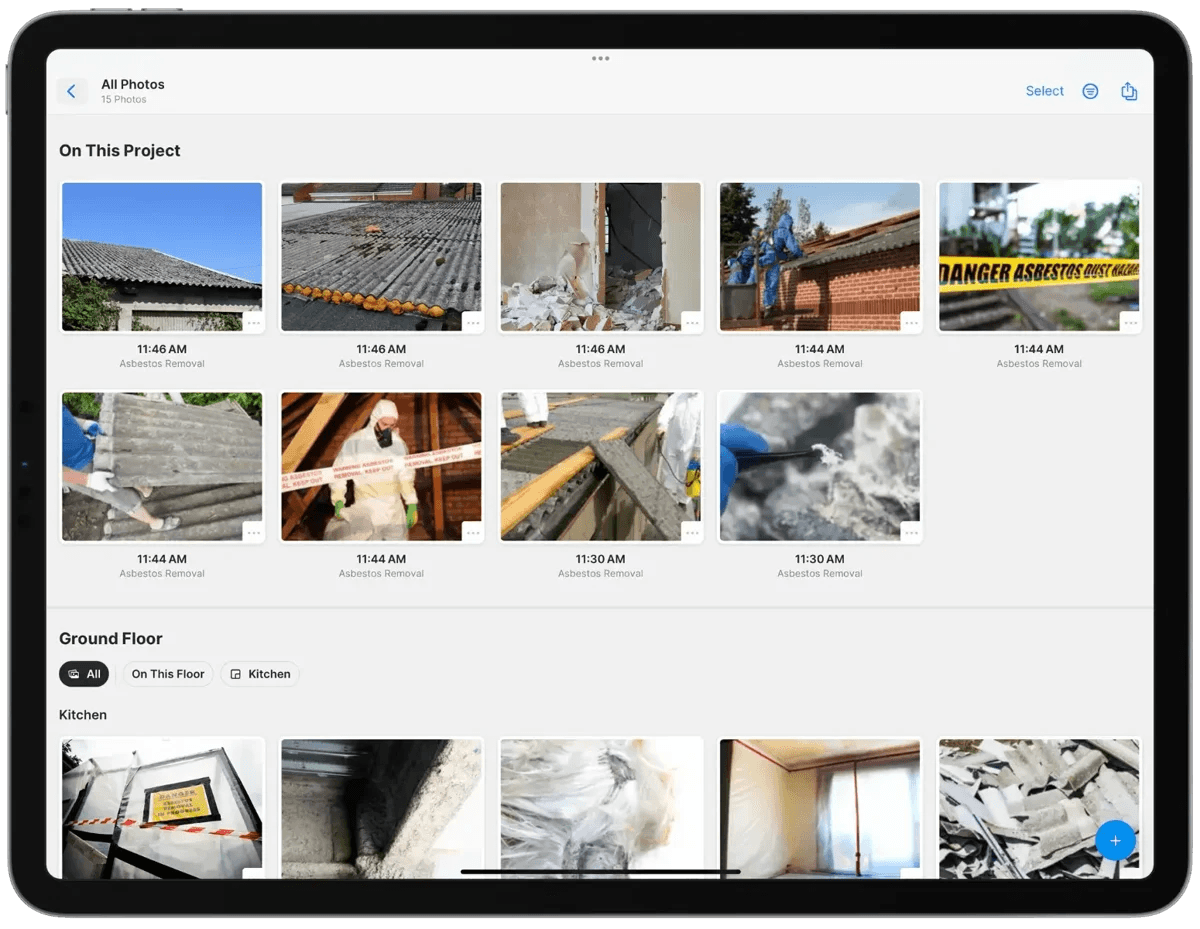
TECH TIP: If you equip your technicians with the right technology, they will be able to categorize job-site images quickly in real time. For example, if each technician has magicplan loaded on a mobile device, they can create a digital floor plan sketch within minutes. Then they can use that as the basis for categorizing their photos:
The app makes it easy to attach each photo directly to a specific location within the sketch.
This creates a structured, location-based categorization system that is well-organized for an estimator’s review. It also helps the estimator link photos to appropriate sections in the project estimate.
4. Use a Contractor App That Sends ESX Files Directly to Xactimate®
Xactimate® is the gold-standard software for property claims, and nothing comes close to it in terms of widespread use among carriers and independent insurance adjusters.
TECH TIP: If your business uses Xactimate® for estimate development, you can streamline photo integration by having technicians use photo-management software. For example, here is how they can use magicplan during a property-damage assessment:
First, the field technician will gather important data and visuals. They will begin by using magicplan to create an accurate and detailed floor plan sketch. Then they will quickly capture photos and attach those to specific locations on the sketch – and even label and annotate the photos in real time – to document all damage. The end result will be a shareable, data-rich photo report. (This “report function” is why magicplan is also a type of photo report software.)
Next, the technician will share the report quickly with an office-based estimator via the secure and easily accessed magicplan Cloud. The report will be uploaded to the Cloud as an .ESX file format.
The estimator will initiate the process of syncing magicplan with the project’s Xactimate estimate. Proper syncing will facilitate a seamless transfer of the field technician’s report.
Then the estimator will transfer the report with the click of a button. It will be exported to Xactimate® within seconds. (No waiting time. No manual file uploading required.) This lightning-fast efficiency can shave hours off the estimate-development timeline.
Wrap-Up
Damage-assessment photos provide important visual documentation, and are essential for creating insurance claim estimate documents. You can improve your company’s photo documentation workflow by (1) helping your field technicians take better photos, (2) implementing effective communication practices, (3) enhancing estimate accuracy through photo categorization, and (4) enabling your Xactimate estimators to integrate field-created photo reports instantly into their estimates. Plus, follow our TECH TIPS to achieve the best possible results!
READ MORE:
The Contractor’s Quick Guide to Taking Photos at Job Sites
See How magicplan Makes Photo Documentation Easier