




Service Fusion

Service Fusion magicplan integration

CRM

CRM

Software

Software

About the integration

This integration connects Service Fusion and magicplan through Zapier to automate field service workflows. It allows users to sync customer data, job details, and project files between the two platforms.

This integration connects Service Fusion and magicplan through Zapier to automate field service workflows. It allows users to sync customer data, job details, and project files between the two platforms.

What it does

  • Create a new project in magicplan automatically when a job or estimate is created in Service Fusion.

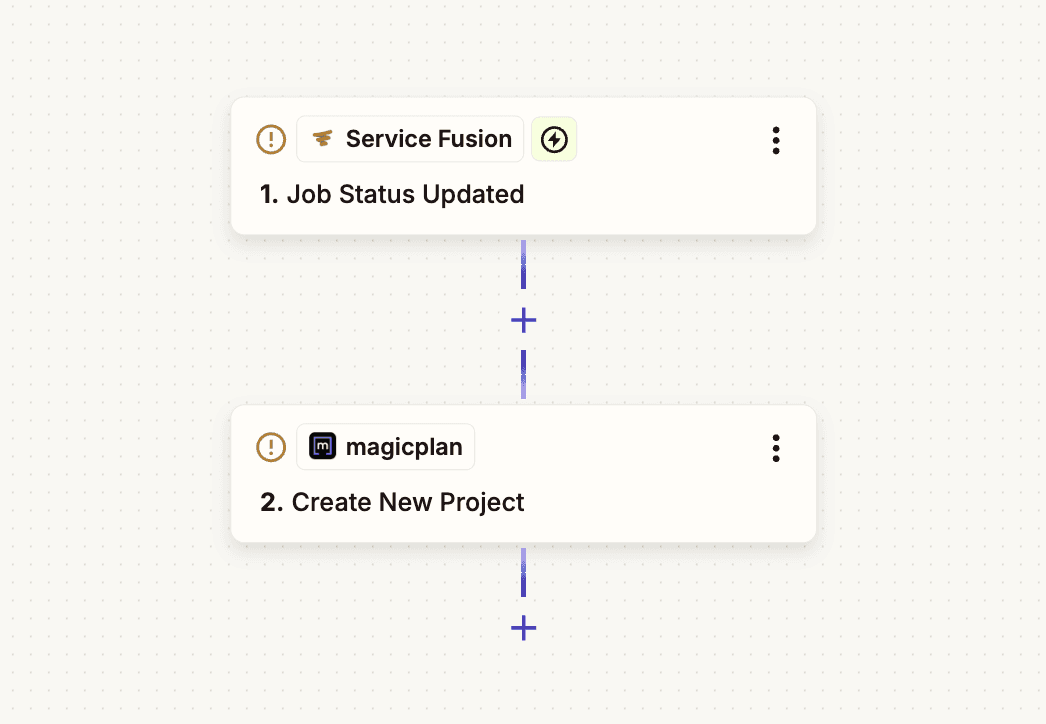
  • Create a magicplan project automatically when a Service Fusion job status changes (e.g. to Dispatched).

  • Generate a new customer record, job, or calendar task in Service Fusion after exporting a magicplan project.

  • Send magicplan files and floor plans to Service Fusion when a new file is generated.

How it works?

Data moves between Service Fusion and magicplan based on specific triggers set up in Zapier. When an action occurs in one platform, such as creating a new job, Zapier sends that information to the other platform to create a corresponding project or record.
Requirements

  • Active magicplan account

  • Active Service Fusion account

  • Active Zapier account

How to set it up

  • Log in to your Zapier account.

  • Connect your Service Fusion account by providing your credentials (Company ID, Username and Password).

  • Connect your magicplan account using your API key and Customer ID found in the magicplan Cloud.

  • Choose a trigger from Service Fusion, such as Job Status Updated, New Job, or New Estimate.

  • Select a corresponding action in magicplan, such as Create Project.

  • Map the data fields to ensure customer names and addresses transfer correctly.

  • Test the connection and turn on the Zap.

Frequently Asked Questions

Do I need a specific Service Fusion plan to use Zapier?

You must have a Service Fusion plan that includes API access to connect with Zapier.

Can I control when a magicplan project is created?

Yes. By using a Filter step in Zapier, you can ensure projects are only created when a Service Fusion job reaches a specific status like "Dispatched."

Should I use Zapier or a direct API integration?

Zapier is recommended for quick setup and standard workflows. A direct API integration is better for high-volume users who need advanced logic not available in the Zapier connector.

Do I need a specific Service Fusion plan to use Zapier?

You must have a Service Fusion plan that includes API access to connect with Zapier.

Can I control when a magicplan project is created?

Yes. By using a Filter step in Zapier, you can ensure projects are only created when a Service Fusion job reaches a specific status like "Dispatched."

Should I use Zapier or a direct API integration?

Zapier is recommended for quick setup and standard workflows. A direct API integration is better for high-volume users who need advanced logic not available in the Zapier connector.

Do I need a specific Service Fusion plan to use Zapier?

You must have a Service Fusion plan that includes API access to connect with Zapier.

Can I control when a magicplan project is created?

Yes. By using a Filter step in Zapier, you can ensure projects are only created when a Service Fusion job reaches a specific status like "Dispatched."

Should I use Zapier or a direct API integration?

Zapier is recommended for quick setup and standard workflows. A direct API integration is better for high-volume users who need advanced logic not available in the Zapier connector.

