Modern Scoping: How Restoration Pros Capture Every Line Item
Restoration
5 min read
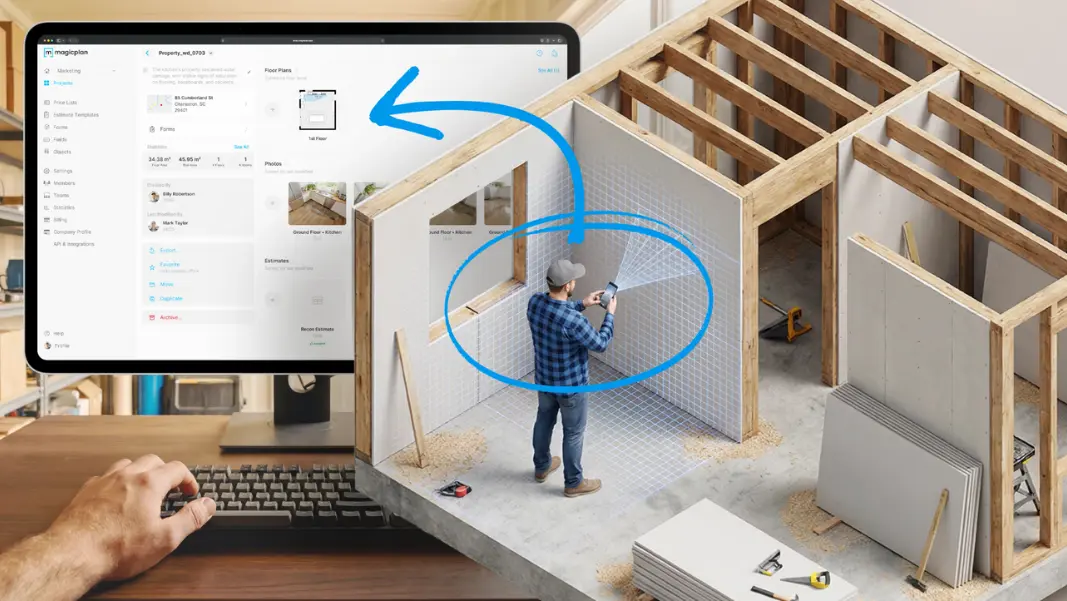
If you’ve worked in restoration for several years, you’ve watched the scoping process evolve right in front of you. It used to involve a clipboard, a pen, and a stack of printed scope sheets. Then it slowly turned into a mix of mobile-device photos, digital notes, and spreadsheets. But now, the process is shifting again — this time toward tools that let you capture everything in one place, right at the job site.
How Scoping Used to Work: A Process Built on Paper and Memory
In the early 2000s and even well into the 2010s, scoping a residential restoration job was a manual ritual. Every company had its version of the “scope sheet”: a paper checklist used to capture affected rooms, materials removed, and line items for billing.
Here’s what that looked like in practice: A technician would walk through a water, fire or storm loss carrying a clipboard. As they went room to room, they’d check boxes for line items like “carpet removal,” “pad replacement,” “baseboard reset.” They might scribble a few notes about what they saw or what work needed to be done: (“hallway - cut bottom portion of both walls 24” high.”) Photos were taken on a phone or digital camera, later uploaded to a shared drive once the tech got back to the office.

Then came the real challenge: connecting all that fragmented information into visual documentation that tells a clean, billable story. Estimators would often spend hours doing this: “decoding” a tech’s notes, guessing which photos matched which rooms, or calling the field crew to clarify what certain abbreviations meant. If a line item was missed or unclear, it wasn’t just an inconvenience; it directly affected revenue. Missed scope items meant lost dollars, unhappy clients, and tense conversations with adjusters. Many restoration business owners have seen it happen. A baseboard reinstall forgotten here, an encapsulation area not documented there. Little things add up quickly.
The First Wave of Digital Scoping: Better, But Still Disconnected
As restoration work became more digital, many contractors moved from paper claims documentation and began using Excel spreadsheets or PDF checklists loaded on a tablet or laptop. This was a step forward. At least the handwriting problem went away, and you could standardize your forms. But the workflow still had gaps.
Technicians would fill out a form on a digital device, then upload photos separately. Measurements still had to be typed in manually. And even though the documentation was cleaner, estimators still spent time matching photos to rooms, hunting for data, verifying quantities, and checking for missing line items.
So, the core issue remained: The scoping process was still split across multiple tools. Restoration businesses were no longer dealing with hand-written notes, but they were still dealing with scattered information.
Then the Business Shifted to Fully Digital Scoping
Here’s why: Today, restoration work moves faster than ever. Carriers expect detailed, proper documentation. Homeowners want quick answers. And your team needs to avoid rework, because every missing detail costs time… and often revenue.
That’s why the shift to fully digital scoping is so important. It’s not about replacing your process. It’s about giving your team a way to capture the same information they’ve always captured, but in a format that’s complete, organized, and instantly usable.
When everything is tied together — photos, measurements, line items, and room data — you eliminate the guesswork. You eliminate the back-and-forth. And you eliminate the risk of missing billable items simply because they weren’t written down clearly.
This is where a tool such as magicplan come into play: not as “software for software’s sake,” but as a way to bring the entire scoping workflow into a single, centralized place.
What Fully Digital Scoping Looks Like
Imagine your technician walking a property the same way they always have — room by room, noting damage, identifying materials, and capturing quantities. But instead of juggling a clipboard, a phone, and a tape measure, everything happens inside one app.
They open a project, sketch each room individually, and attach photos and notes. They also can pull from an item library that matches the Xactimate software codes your estimator uses. And they can do all of this without switching tools or retyping information later.
The process of scoping hasn’t changed. The tools have.
This shift matters because it solves the biggest problems of the old system:
No more missing photos — each one is tied to the correct room and line item.
No more unclear notes — everything is typed, tagged, and organized.
No more double entries — the data captured on site becomes the data used in the estimate.
No more estimator guesswork — the scope is complete the moment the tech leaves the property.
Instead of stitching together information from multiple sources, your estimator receives a clean, structured scope that’s ready to price.
But Your Techs Must Be Equipped With the Right Restoration Software
Let’s look at magicplan, as an example:
This app’s approach to scoping is built around the way restoration pros already work. It lets your team complete the same “checkbox walkthrough” they’ve always done, but digitally, with every detail captured in context.
A technician can walk into a room, sketch it quickly and accurately, select affected surfaces, add line items that match Xactimate codes, enter quantities, and attach photo documentation and notes right there. Because the app organizes everything by room, nothing gets lost.
Example of a Commercial Restoration Scope:
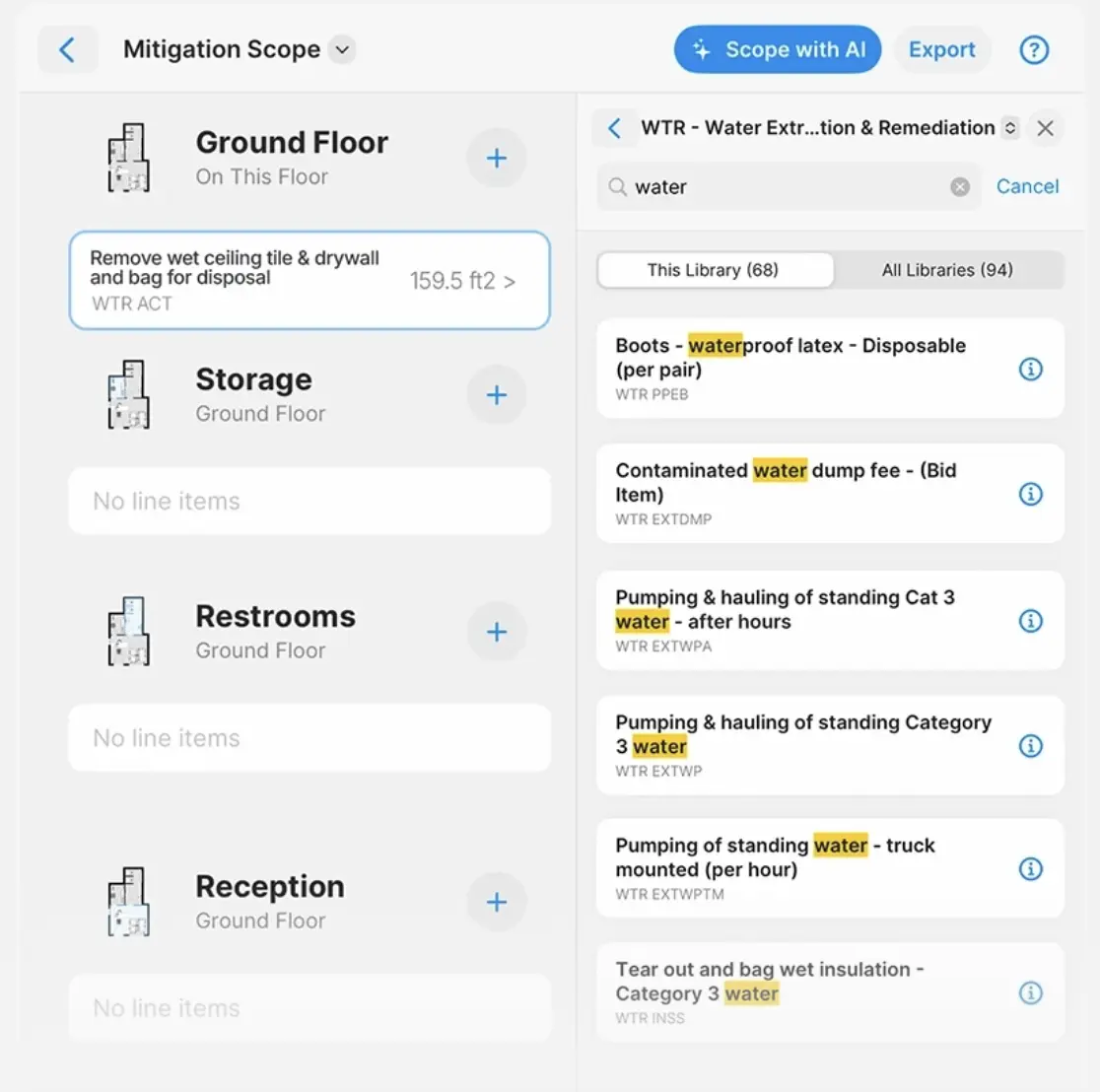
One of the biggest advantages of scoping with magicplan sketch app software is the ability to export an ESX file directly from the app. That means your estimator can open the project in Xactimate estimate software and see:
The full sketch
All affected areas
All line items
All photos and captions
All objects and measurements
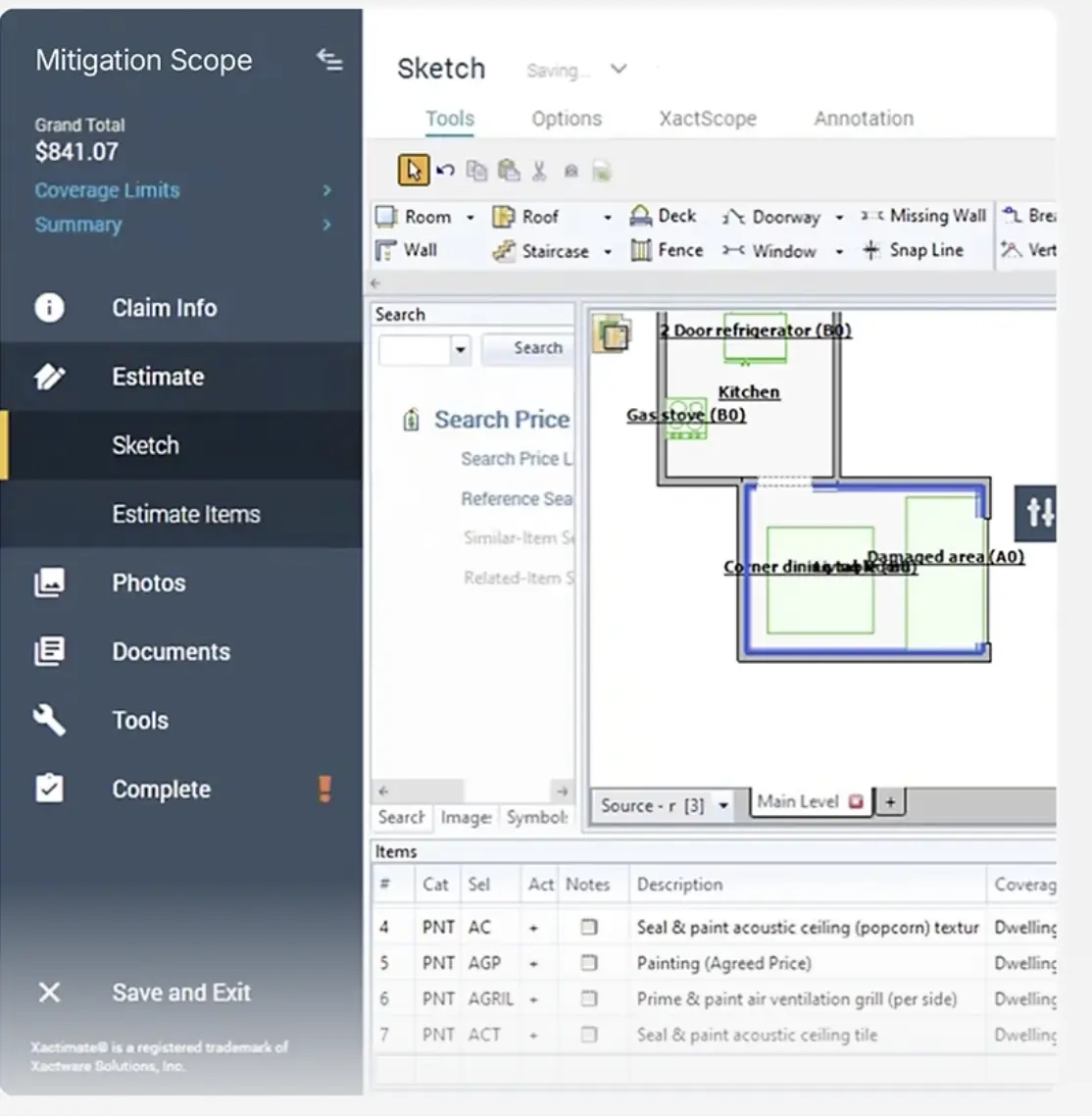
There’s no retyping, no re-uploading, no rebuilding the scope from scratch.
This is what “digital scoping” really means — not just filling out a form on a phone, but capturing every piece of information in a way that flows directly into your estimating system.
The Bottom Line: Fully Digital Scoping Is Essential for Your Business
If you’re running a restoration company, you know that speed and accuracy are everything. Delays frustrate customers. Errors eat into your margins. So, it makes sense to adopt a fully digital scoping workflow.
It won’t change how your team works. You’re simply removing the friction that slows them down. You’re giving them a tool that matches the reality of the job site. And you’re giving your estimator clean, complete data that leads to faster, more accurate estimates.
HOW TO PROTECT THE DATA YOU COLLECT:
Discover 6 Tips for Optimizing Restoration Data Privacy
Share

Benjamin Brown
Leiter Vertriebsakquise





