How to Create a Floor Plan with Furniture, Notes, Objects and Photos
Business Tips
5 min read
Floor plans are important tools for many types of residential-real-estate professionals. Remodelers, restoration specialists, insurance adjusters, home inspectors and home appraisers all rely on floor plans to convey important information to their clients. If you fall into one of these categories, keep reading to learn why enhanced floor plans are preferred, and how you can create these kinds of plans quickly and easily.
Why Your Floor Plans Should Be More Than Just Basic Sketches
While a basic floor plan sketch can capture the interior dimensions and layout of a room, it is merely a simple starting point. The sketch will be void of any details that show what that space looks like in real life. And that can be a problem if you want to use the sketch to communicate the physical features, traffic flow and contents of the room.
The purpose of adding extra details is to make the sketch come to life, so that anyone viewing it can get a good sense of the space as you see it with your own eyes. A detailed plan also will help eliminate the risk of any confusion as to how the plan will be interpreted by anyone who sees it.
What Types of Extra Details to Include
Other Extras a Floor Plan Can Include
Consider Adding a 3D Floor Plan to Complement Your 2D Drawing
A typical floor plan is flat, or two-dimensional, and does not show the height or depth of features and objects. That’s why it’s sometimes helpful to add a three-dimensional drawing. This different perspective can present a more realistic depiction of a space.
How Software Can Help You Enhance Floor Plan Sketches Easier and Faster
Ditch the old way of drawing floor plans by hand. Skip the time-intensive task of creating a plan on a computer. Now there’s a better way: Use a floor plan software app on your phone!
A high-quality floor plan app will provide resourceful tools to help you create floor plans quickly while in the field, and then augment those plans with additional visuals and information.
Read more: Professional Floor Plans: Sketching the Hard Way vs. the Easy Way
Be sure to look for an app that:
has an easy-to-use interface
allows you to connect a laser distance meter via Bluetooth, for near-perfect measurement accuracy
will scan a room, using input from your mobile device’s camera and gyroscope sensors, to form a floor plan within minutes
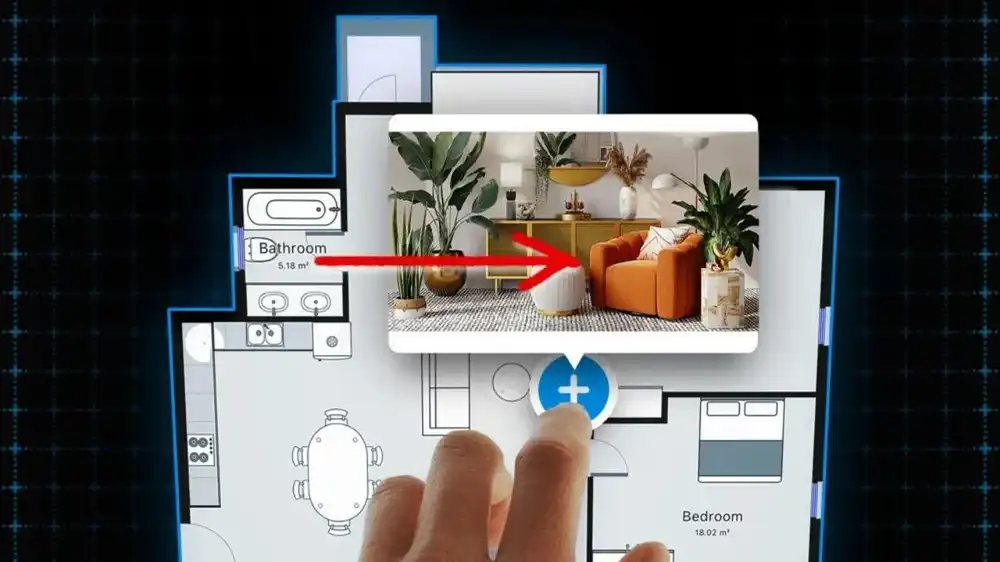
permits you to build on that basic plan by adding annotations and photos, and by overlaying design details from a built-in library of objects
lets you turn a 2D plan into a 3D view
enables you to combine everything into a single, attractive, shareable report
Conclusion
A well-designed floor plan is far more detailed and far more useful than a bland, unadorned, basic sketch. When you supplement a plan with features, annotations, objects and photos, you transform it into a valuable communication tool. And that is sure to reflect handsomely on your professional reputation.