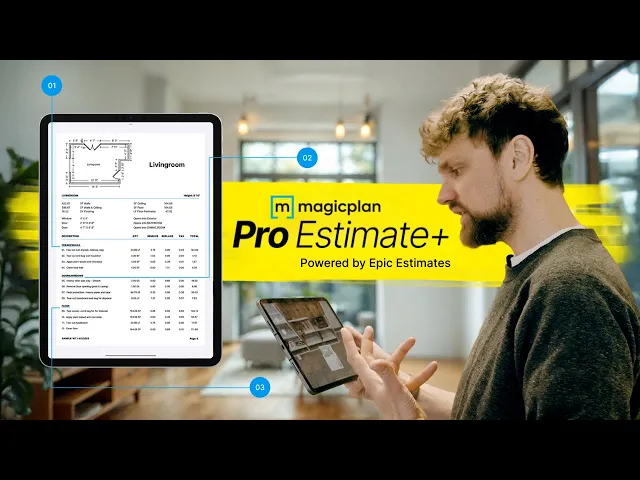
How to Build Better Estimates with magicplan Pro Estimate+ To Get Paid
Restoration
5 min read

If you’ve been in restoration long enough, you already know the routine. You’re walking off a job, and you know work was done, but the estimate doesn’t capture it all. Things get missed—not because they weren’t done, but because there wasn’t time to sit down and scope it right, or because the field notes weren’t clear, or the photos weren’t tied to the sketch. Now you’re chasing paperwork, hoping the adjuster sees what you were trying to show.
magicplan Pro Estimate+ was built to fix this. It gets you from the jobsite to a complete estimate without missing the details. It’s not about making up numbers or overbuilding files. It’s about capturing everything that actually happened—and getting it in front of the people who need to see it.
What Makes a Good Estimate in Restoration?
An estimate is not just a number. It’s the full picture of what happened on the job. Bobby Paine (from Epic Estimates) explained it best: a good estimate is easy to read, structured so it’s easy to interpret, and it’s submitted early—while the job is still fresh—not later when it’s urgent.
A good estimate includes the stuff that the adjuster would usually kick back. That right-hand column—where they put their homework—it needs to already be answered:
What was removed?
What was set?
What was still wet?
Why was that wall opened?
And it needs to be presented in a way that’s simple and clean. If it’s messy, or if the story isn’t there, it’s going to get picked apart. And that leads to delays, frustration, and less money in the end.
Where Estimating Breaks Down
We talked through the common issues—and they’re not new. Everyone’s seen them:
Vague or incomplete field notes: A scribbled sentence or a line item that doesn’t explain the why.
Work gets minimized: You actually did more than you’re billing for, but it didn’t make it onto the estimate.
Estimating from memory: You’re writing the file three days later and trying to remember what got demoed.
No real estimator training: PMs are thrown into estimating with no structure or backup.
Trying to do everything yourself: You’re managing the job, demoing, documenting, and now scoping, too.
These issues don’t just slow things down. They result in real dollars left on the table—and time wasted chasing things that should’ve been clean the first time.
What Is magicplan Pro Estimate+?
magicplan Pro Estimate+ gives you two ways to get your estimates done—without missing a step. At its core, it includes everything from our core estimating product, magicplan Pro Estimate.
With magicplan Pro Estimate, you can:
Use your phone or tablet to create complete scope documentation
Instantly generate takeoffs and estimates right in the app
Build custom price lists and templates that match your pricing, not just standard rates
Share professional, well-documented estimates with carriers or clients
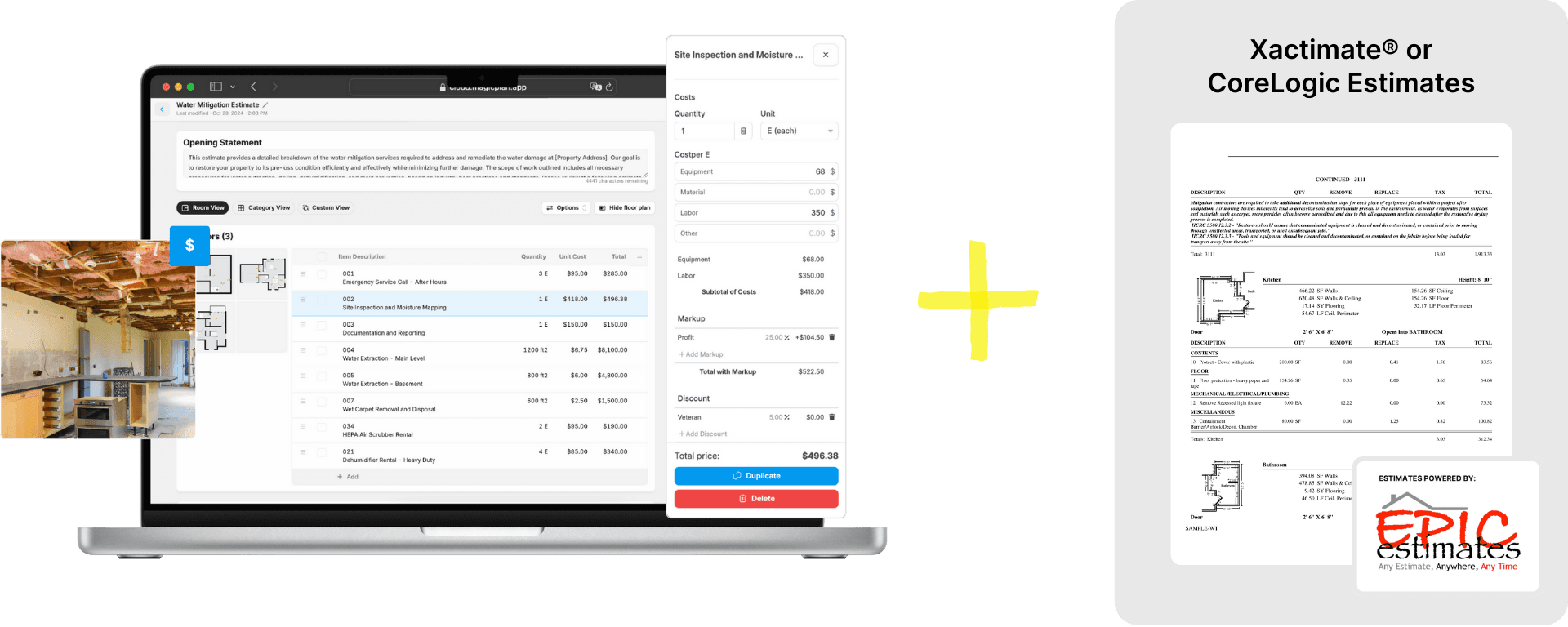
magicplan Pro Estimate+ takes it one step further. It includes all of that—and adds the ability to submit your project directly to a team of expert estimators from Epic Estimates. With a tap inside the app, you hand off your scoped project and receive a clean, carrier-compliant Xactimate® or CoreLogic/Symbility estimate in return.
So instead of writing the estimate yourself, your documentation gets turned into a detailed, polished file built by folks who know what carriers want to see.
You do the walkthrough. Capture everything. And the estimate gets done—right.
What You Actually Get from It
With magicplan Pro Estimate+, your file reflects the actual job:
It includes line items that you might’ve missed—because someone’s double-checking what’s common, what usually gets missed, and what should be there based on your scope.
It shows every carrier the same level of detail. You’re not guessing what they want to see.
It’s written clearly, so adjusters aren’t marking it up or asking for clarification.
And most importantly—it gets done early, not when someone’s already calling asking for it.
The estimate is no longer something you hope sticks. It becomes part of the process that runs like everything else in the job.
How Your Estimates Will Get Better—And Bigger
As Bobby explained in our conversation, the difference can be 17% to 31%. That’s not fluff. That’s because:
The line items you forgot to add are now there.
The demo you didn’t scope is now accounted for.
The notes that support the work are written in, so no one needs to guess.
And it’s not just about more money. It’s about better files:
Less pushback
Fewer revisions
More consistency across your team and jobs
And once you’re using it regularly, you start noticing how much time you used to waste fixing things that should’ve been right the first time.
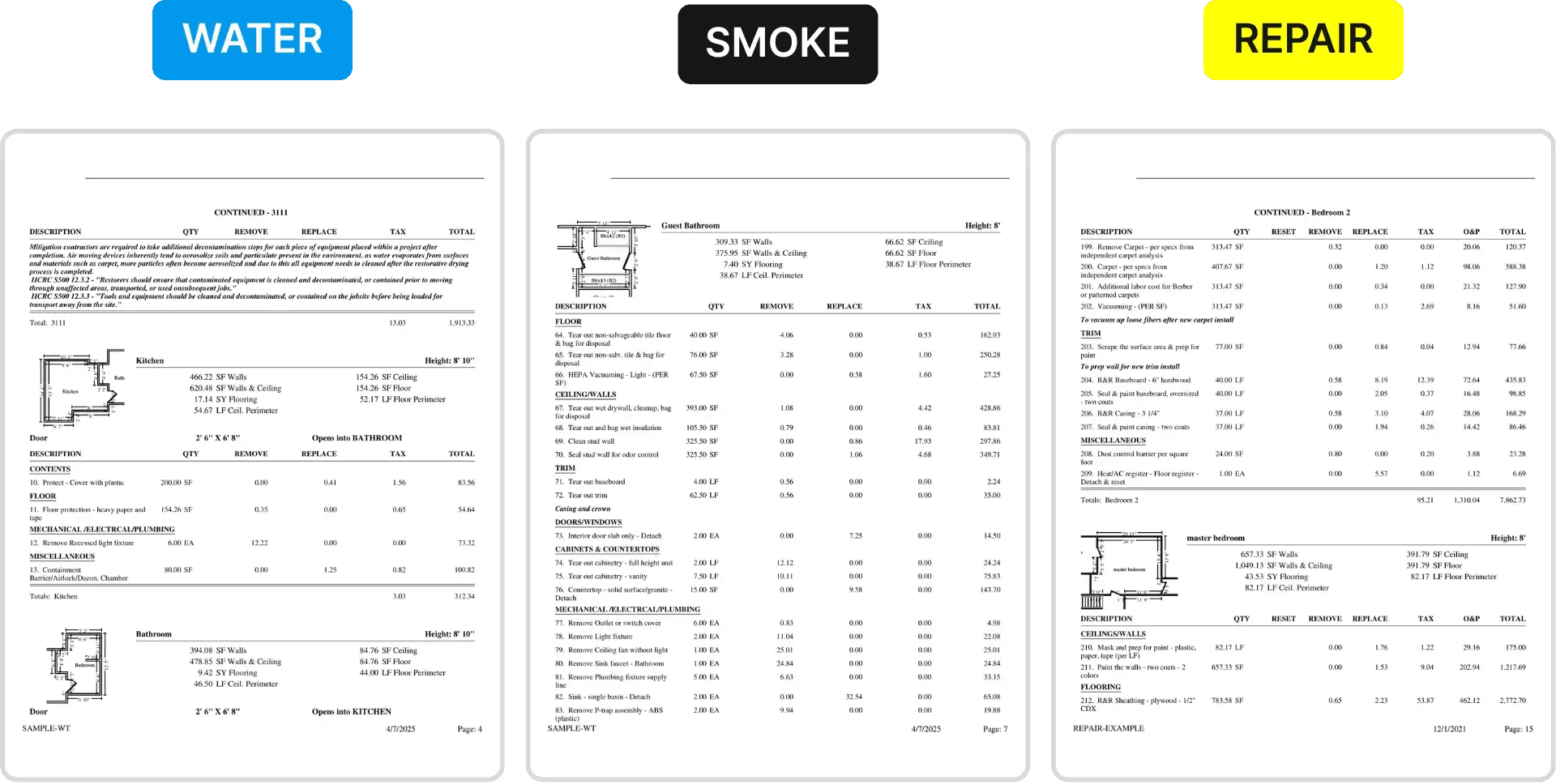
Here are a few preview examples of real-world estimates—one water damage estimate (built on IICRC S500), one smoke and fire damage estimate (following S700 guidelines), and one for general repairs. Each estimate is structured using industry-recognized formats for Xactimate® estimates and CoreLogic/Symbility estimates, making sure they meet carrier expectations and reflect the full scope of work:
Estimates That Do the Talking for You
Adjusters want to see what happened. They don’t want a mess of photos with no context. They want a sketch with room names that match the scope. They want to know what was done and why.
That’s what these estimates do. You send them in, and they speak for the job:
The photos are tagged and labeled.
The scope makes sense with the floor plan.
The notes explain what was still wet, what was removed, and why the line items are there.
You don’t get pulled into re-explaining the job. You just move on.
What Changes in Your Day-to-Day
❌ Before: | ✅ Now: |
You scoped in a rush or from memory | The tech walks into the job with magicplan |
Your estimate came together slowly and missed stuff | Everything—sketch, photos, notes—is captured once |
You were hoping it wouldn’t get pushed back | With magicplan Pro Estimate+, you get properly formatted estimates |
Adjusters had questions, and you were stuck replying | The file is ready to send |
Payments got delayed or trimmed | You stay focused on the work, not chasing estimates |
Final Word: This Is How Estimating Should Work
With magicplan Pro Estimate+, estimating becomes part of your job workflow—not a bottleneck. The field team captures the job. The estimate gets done properly. And you stay focused on doing good work and getting paid fairly.
Learn more at magicplan.app/estimate/pro-plus
Share

Andreas Boehm
CEO





