A look back at magicplan in 2023: Simple Tools for Better Planning
Inside magicplan
4 min read
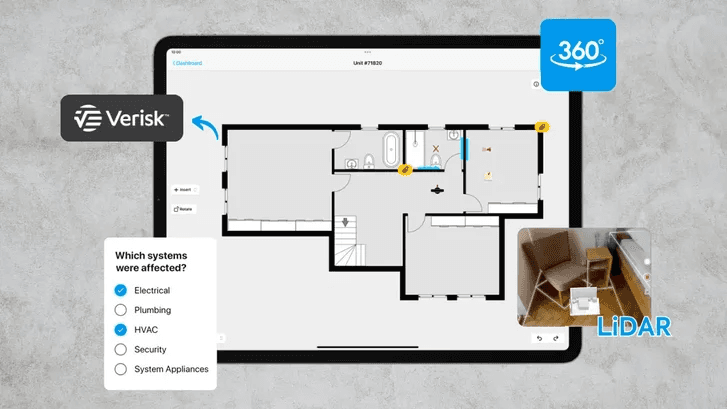
As we enter a new year, let's reflect on our innovative strides in 2023. We added new tools to streamline your planning work, making it smoother and more efficient. Here are some cool features that made a difference in how you create and share your plans:
LiDAR Auto-Scan: Measurement Accuracy
We introduced the new LiDAR Auto-Scan feature to enhance the precision and efficiency when creating floor plans. This feature allows users to scan multiple rooms in a single session and automatically detect elements like windows, doors, and furniture, making the planning process faster and more intuitive.
Xactimate® and CoreLogic Integrations: Faster Claims Submission
Our integrations with Xactimate® and CoreLogic were game-changers for professionals working in the claims and restoration fields. These partnerships simplified their workflows and improved efficiency by directly exporting floor plan sketches and photos to such estimating tools.
Custom Object Manager (COM): Personalization at Its Best
The new Custom Object Manager (COM) empowers users to design and manage personalized objects, giving them full control over their floor plans and elevating their personal style or business requirements to new heights. It's no wonder that the COM has quickly become a fan favorite, allowing magicplan users to bring their vision to life.
360° Panoramas: Immersive Views
The addition of 360 panoramas has altered the way we view and present spaces. It allows users to provide detailed documentation of their work and facilitates remote access to those in the office, all without the need for additional hardware.
Custom Attributes: Efficient Data Gathering
The addition of Custom Attributes to magicplan provided users with enhanced control over the project data in their reports. This feature made organizing and retrieving specific details within floor plans much more straightforward, particularly beneficial for managing more complex projects.
E-courses: Get Certified and More
This year, we've committed to enhancing our resource offerings, providing you with easier access to online learning materials, including certifications tailored to your subscription tier, micro-learnings for specific features, and short video tutorials found in our Community, all accessible from your phone. These resources are designed to help you learn on the go and make the most of magicplan.
New Community

What's Next?
Looking ahead, we're not slowing down. We're committed to bringing you more features for your day-to-day operations. Our goal is to keep making magicplan the best tool for your planning needs. We constantly want to improve magicplan. Please ask questions, give feedback, and share your ideas. We’re always happy to connect with members of our community!
Share
LiDAR Auto-Scan: Measurement Accuracy
Xactimate® and CoreLogic Integrations: Faster Claims Submission
Custom Object Manager (COM): Personalization at Its Best
360° Panoramas: Immersive Views
Custom Attributes: Efficient Data Gathering
E-courses: Get Certified and More
New Community
What's Next?

Bernd Wolfram
CPO





