

Contents
About the integration
What it does
How it works?
Requirements
How to set it up
FAQs
About the integration
This integration connects Tramex Bluetooth moisture meters to magicplan. It allows restoration professionals to record live moisture readings directly into floor plan objects for accurate site documentation and drying progress tracking.
What it does
Sync live moisture data from a Tramex device to specific meter objects in your floor plan
Record multiple data points including moisture content, relative humidity, and temperature
Track historical moisture levels over time at the same location to monitor drying cycles
Automatically populate restoration reports with digital readings to avoid manual entry errors
How it works?
The Tramex meter pairs with magicplan via Bluetooth. Once a moisture meter object is placed in a room, the app scans for the active device and imports live sensor data directly into the object's details section.
Requirements
Active magicplan account
Bluetooth-enabled Tramex moisture meter (e.g., CMEX5 or ME5)
Mobile device with Bluetooth enabled
Latest version of the magicplan app
How to set it up
Turn on the Tramex moisture meter and ensure the Bluetooth symbol is visible on the device display.
Open a project in magicplan and navigate to the floor plan.
Tap the "+" button, go to the "Restoration" category, and select a moisture meter object.
Place the object on the floor plan at the exact location of the physical measurement.
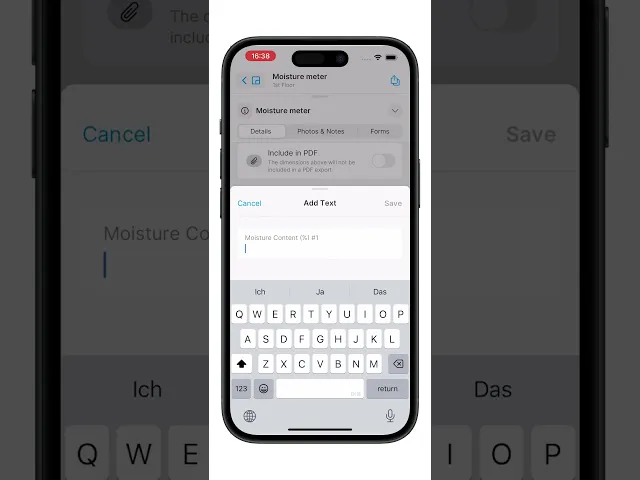
Tap the moisture meter object and open the details menu (swipe up on phone or tap "i" on tablet).
Tap "Use Moisture Meter" under the current date.
Select your Tramex device from the Bluetooth scan list.
Hold the meter against the surface to be tested.
Review the live values in the app and tap "Use Readings" to store the data.
ℹ️ Note: Not all Tramex models provide the same measurements. magicplan will only display and store the values your device supports.


