How to Export Smarter from magicplan to Xactimate® (Complete ESX File)
Restoration
3 min read
If you're using magicplan for site inspections and Xactimate® for estimates, you might be losing hours re-entering data. Good news — a new update to magicplan’s Xactimate® integration makes your ESX exports way more complete.
This isn’t just about floor plans anymore. Now, your reference areas, photo captions, and even fixtures all transfer cleanly into your Xactimate® file.
Let’s walk through what’s changed and how to use it.
What’s New in magicplan’s Xactimate® Export?
Before this update, your ESX file from magicplan sent over a basic sketch and photos. It was useful, but limited. After getting feedback from our users, we made important improvements.
Now, it pulls in:
Reference blocks and areas
These now carry over directly and land in the right spot in Xactimate®.Fixtures like sinks, cabinets, and toilets
Included in your export — no need to add them later.Photo captions as descriptions
If you’ve labeled a photo in magicplan, that text comes with it and appears where it should.
📌In short: the labeling, tagging, and damage context you capture in the field stays intact — and flows straight into your estimate. That’s less rework and fewer chances for something to slip through the cracks.
How to Export an ESX from magicplan
If you’re already using magicplan to scope jobs, you won’t need to learn a new process. But here’s the step-by-step:
Build your floor plan using the app, with all rooms and damage areas labeled.
Tag affected areas and caption each photo with helpful notes.
Go to Export > Verisk Export, ESX.
Optional > Compress photos if your file is getting large.
Hit Export > You’ll get a download link in your inbox almost instantly.
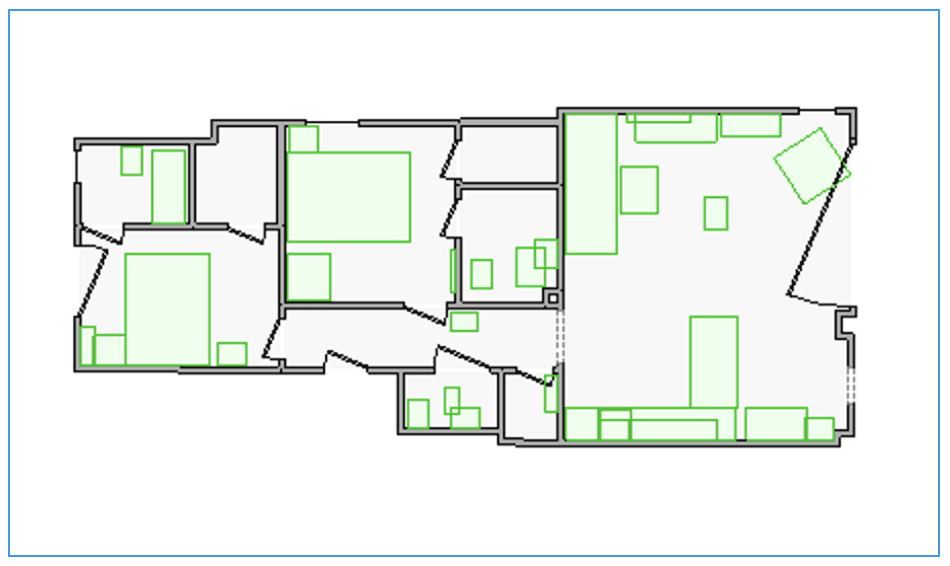
Everything you included — from sink placement to ceiling stains — shows up in the right location in Xactimate®. No extra work needed.
Why This Matters to Estimators and Project Managers
Faster Estimates
You’re not flipping between tools, trying to remember what room a photo belonged to.Cleaner Files
The exported ESX keeps data organized by room and area — not dumped into one photo folder.Less Duplication
No more re-labeling rooms or re-attaching reference photos in Xactimate®.
If you’ve ever opened an ESX file and had to sort through 20 unlabeled photos, this is a serious upgrade.
📌Our tips to learn How to Train Techs to Document Like Estimators (Without Slowing Them Down).
Final Thought
If you’re doing solid documentation in the field, don’t let it go to waste. With this Xactimate® integration, magicplan now delivers a more complete export — floor plan, photos, fixtures, labels, and all.
✅It’s one smooth workflow from first walk to final estimate.
magicplan users: try it on your next job and see how much time you save.
Do you want to share your experience, or get some tips from other restorers? Go into our magicplan Community, thousands of users have already joined.
Learn More:
Share

Benjamin Brown
Director of Sales Acquisition