



Inhalte
About the integration
What it does
How it works?
Requirements
How to set it up
FAQs
About the integration
This integration connects Dropbox with magicplan to automate file storage and organization. It allows you to sync floor plans, project reports, and site images directly to your cloud storage folders.
What it does
Upload exported magicplan files automatically to your Dropbox account.
Save new project photos from magicplan directly into designated Dropbox folders.
Organize project documentation by automatically creating folders for new magicplan exports.
Share floor plans and reports with team members through synchronized Dropbox shared folders.
How it works?
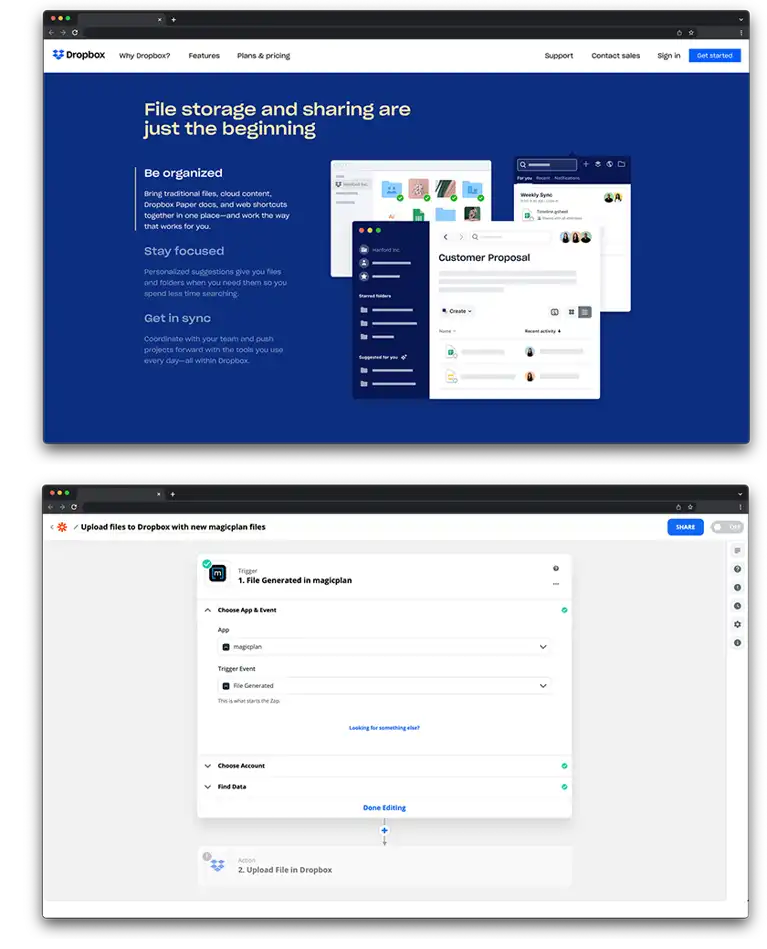
The connection uses Zapier to link Dropbox and magicplan. When a new file or project is exported in magicplan, Zapier detects the event and transfers the file to a specific folder in your Dropbox account.
Requirements
Active magicplan account
Dropbox account
Zapier account
How to set it up
Log in to your Zapier account.
Select magicplan and Dropbox from the list of available apps.
Choose a trigger from magicplan, such as "New Export."
Choose an action for Dropbox, such as "Upload File."
Log in to your magicplan and Dropbox accounts to authorize the connection.
Select the Dropbox folder where you want your files to be saved.
Map the magicplan file data to the Dropbox file field.
Test the connection and turn on the Zap.