360° Documentation for Restoration: Create Complete Virtual Walkthroughs Without Returning to the Job Site
Restoration
4 min read
Photos are essential on every restoration project.
But even dozens of photos can leave unanswered questions:
What was behind the photographer?
How were the rooms connected?
Was there damage just outside the frame?
Those missing details often lead to unnecessary phone calls, return visits, and confusion between field crews, estimators, project managers, and insurance adjusters.
That's why more restoration contractors are adding 360° documentation to their workflow. Instead of capturing isolated images, they create a complete visual record of every room, one that anyone can revisit long after the crew has left the property.

See the Entire Room, Not Just Individual Photos
Traditional photos capture exactly what the camera is pointed at.
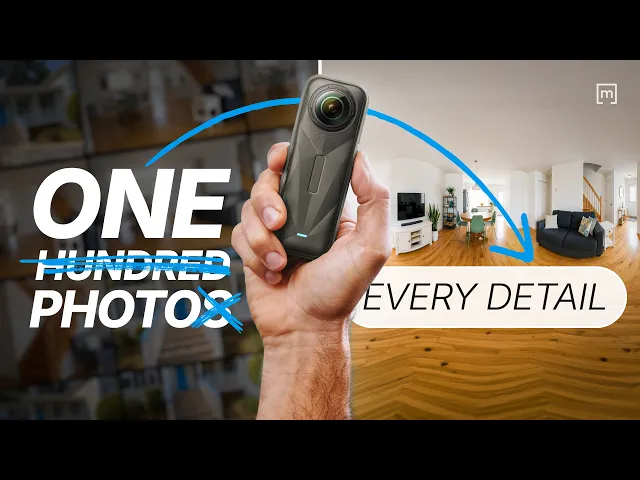
A 360° image captures everything.
Using a compatible camera such as the Insta360 X4, technicians can add one or more 360° images directly to each room within the project. Once captured, the image can be previewed immediately, allowing crews to inspect the room from floor to ceiling before saving it.
Instead of relying on dozens of separate photos to tell the story, every room becomes an interactive visual record that can be explored from any angle.
Capture Documentation While You're Already on Site
One of the biggest challenges in restoration isn't collecting information.
It's remembering to capture it before conditions change.
Materials are removed.
Equipment is installed.
Demolition begins.
Once that happens, the original condition of the property is gone.
By capturing a 360° image during the initial inspection, crews preserve exactly what they saw at that moment. Future questions can often be answered without returning to the property because the room can be virtually revisited whenever needed.
This aligns with the field-first approach described in the positioning document: create one reliable job record while the people who know the project best are already on site.
Build a Virtual Walkthrough of the Entire Property
Adding one 360° photo is useful.
Adding one to every room creates something much more valuable.
As shown in the workflow of our video, technicians simply:
Select a room.
Open the room information.
Add a 360° image.
Preview the capture.
Save it to the project.
Repeating this process throughout the property builds a complete visual walkthrough that documents every inspected space. The result is a project that can be reviewed from virtually anywhere, whether by the office, an estimator, or an insurance representative.
Review Every Detail Before Leaving the Property
Documentation is only useful if it's complete.
Before saving each capture, the workflow allows crews to preview the 360° image and inspect the entire room. If something is missing or the image isn't satisfactory, another capture can be taken immediately.

This simple quality check helps avoid one of the most common documentation problems: discovering back in the office that a critical detail wasn't captured.
Share Documentation Without Returning to the Site
Once the project is complete, all saved 360° images are available in the project's photo section.
From there, they can be exported as a complete virtual tour, making it easier to share documentation with office staff, project managers, customers, or insurance stakeholders.
Instead of scrolling through hundreds of photos, reviewers can navigate the property room by room and understand the full context of the job.
Why 360° Documentation Matters for Restoration Contractors
Every restoration project depends on accurate documentation.
Adding 360° images strengthens that documentation by providing context that traditional photos simply can't capture.
Benefits include:
Capture every angle of the room in seconds
Reduce unnecessary return visits
Improve communication between field and office
Provide additional visual context for insurance reviews
Preserve room conditions before mitigation begins
Create virtual walkthroughs that can be reviewed from anywhere
Rather than replacing standard photos, 360° documentation complements them by filling in the gaps between individual images.
Build a Stronger Job Record
The best documentation isn't created in the office.
It's created in the field, while crews are standing inside the property.
By combining floor plans, standard photos, notes, measurements, and 360° room captures into one organized project, restoration teams create a job record that's easier to understand, easier to share, and easier to rely on throughout the life of the claim.
That's ultimately the goal of good documentation: not collecting more files, but giving everyone involved a clearer picture of what happened on site.
READ MORE: Before You Choose a Sketching Solution, Ask Yourself This
Share
See the Entire Room, Not Just Individual Photos
Capture Documentation While You're Already on Site
Build a Virtual Walkthrough of the Entire Property
Review Every Detail Before Leaving the Property
Share Documentation Without Returning to the Site
Why 360° Documentation Matters for Restoration Contractors
Build a Stronger Job Record

Silvia Corvi
Community Manager