Running Lean: How 2-Person Restoration Crews Can Run Like Pros
Restauration
5 min read
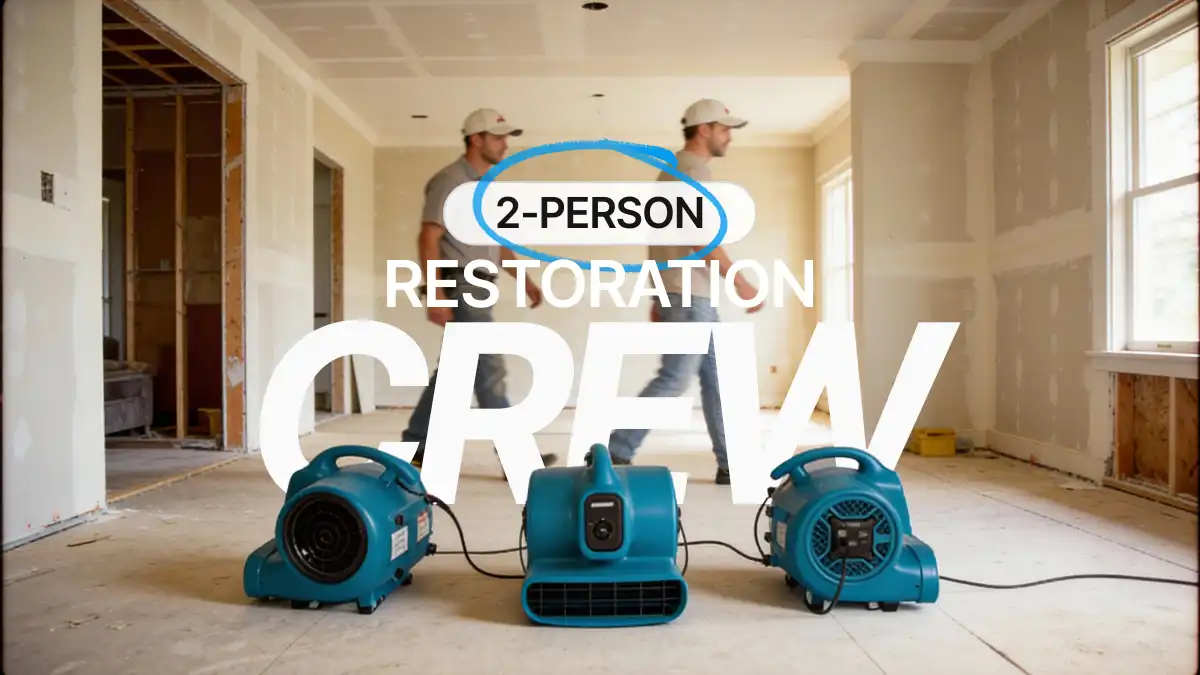
If you’ve ever caught yourself saying, “It’s just the two of us right now,” you’re not alone. Across the restoration industry, plenty of small teams keep their businesses running through grit, long hours, and hard-won experience.
And you know what that’s like: handling everything from documenting and planning to performing work to delivering final invoices — doing everything necessary to keep your operation running.
Yet, the truth is, you don’t need a massive crew or a full-time office staff to look and operate like a professional restoration company. What you do need is STRUCTURE.
Running “lean” doesn’t mean cutting corners. It means setting up smart, repeatable systems that keep your jobs consistent, your claims documentation airtight, and your sanity intact… even when you’re wearing every hat at once. With a few structured tools in your “technology stack,” you can make your two-person crew run like a twenty-person operation.
It’s Time to End the Everyday Chaos
Let’s paint a familiar picture: At the start of every new job, someone has to sketch a layout, capture instrument readings, record job notes, collect and label an array of photos, build the scope, and eventually pull all that into a professional report and create an estimate. But it’s a messy process. Every project seems to produce a tangle of phone notes, text messages, photos, and documents that have to be reassembled later.
The real challenge isn’t the work itself; it’s keeping the information clean and organized, finding what you need later, and making sure nothing falls through the cracks. That’s where technological standardization can make an oversized difference.
Standardization: The Key Advantage of Bigger Companies
One reason large restoration companies can handle heavy workloads so smoothly is standardization. Every step of their process — from thorough scoping and proper documentation to final reporting — follows a clear, repeatable structure. This consistency reduces confusion and eliminates rework.
For small teams, the good news is that you can have the same level of consistency without adding more people. Using a digital tool like magicplan restoration software lets you standardize your workflows to save time and keep everything organized.
Imagine starting a job by scanning the affected rooms with your phone and generating an accurate floor plan within minutes. Envision attaching forms, adding line items for your scope, quickly capturing tagged photos and entering notes, all within the same project. Instead of dealing with a mess of disheveled information, you’ve got one streamlined workspace. Pretty solid, wouldn’t you say?
Let’s take a quick look at how that works.
Templated Scoping and Forms: The Backbone of Consistency
When you’re juggling multiple roles, you don’t have time to reinvent processes on every new job. That’s why you should use ready-made scoping templates and standardized digital forms, which make your documentation fast, consistent, and foolproof.
For instance, let’s say you’re using magicplan to inspect a water-loss job. You can open a prebuilt form tailored for that type of work, complete with fields for scope details, moisture readings, and customer signatures. No missing sections, no guessing which details to capture, and no more late-night paperwork marathons trying to fill gaps you forgot on site.
Scoping templates in magicplan also help set you up for faster estimating. You can outline rooms, sketch dimensions, and capture photos and notes at the job site. And then you can export your complete documentation as a PDF, or export it directly to Cotality or Xactimate software. This streamlined pipeline saves hours each week and makes your team look organized and professional in front of clients and carriers.
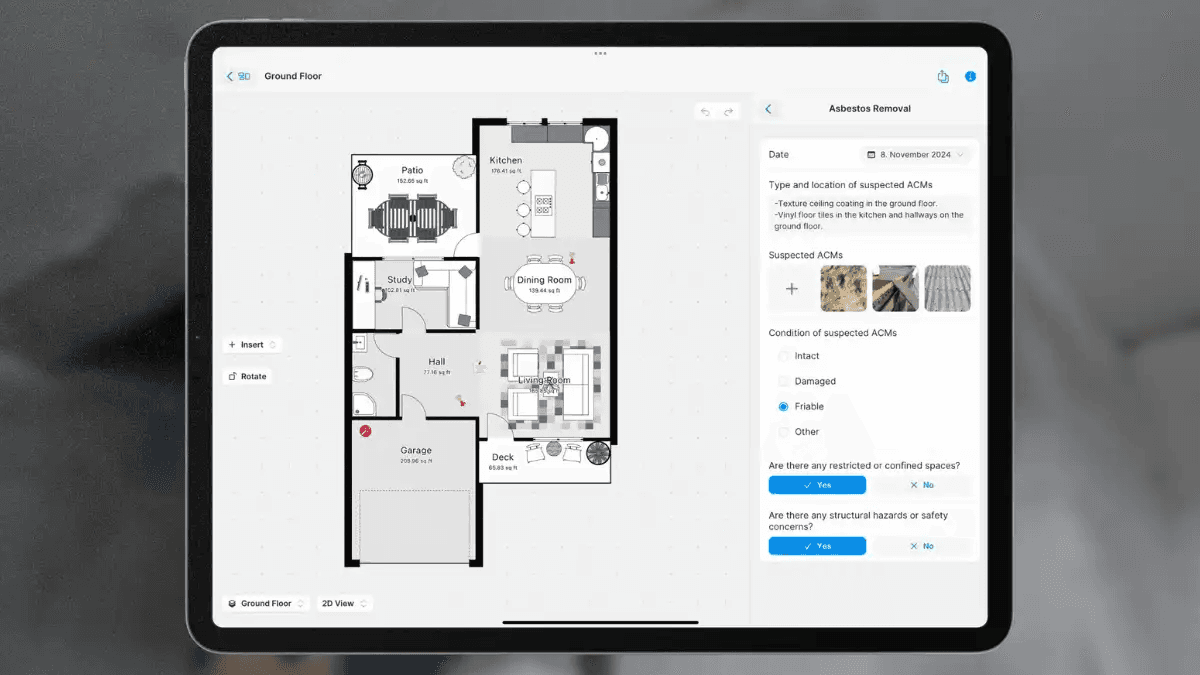
WATCH: How to Use Forms and Fields
Voice-to-Text and AI-Powered Notes: Documentation Without the Downtime
Most small-business restoration pros agree: taking detailed notes is important. But it can be hard to do while you’re checking readings or hauling equipment. That’s where AI-assisted voice-to-text tools change the game.
For example, in magicplan, you can speak your notes aloud as you move through the job site, hands-free. The software converts your speech into text and uses automatic text enhancement to clean up the grammar and phrasing. This helps you create notes that are thorough, clear and professional.
Best of all, this feature eliminates one of the biggest time drains for small crews: trying to decipher cryptic shorthand or incomplete notes later. When your spoken notes are instantly polished, you can drop them straight into reports or share them with an adjuster without spending extra hours rewriting.
Photo Tagging: Never Search for Images Again
If you’ve ever spent 30 minutes trying to match a photo to the right room or phase of work, and then attempt to name that photo, you know the frustration. In restoration photo documentation, properly labeled photos matter. They show exactly what conditions existed and when. Manual sorting, however, eats up time you don’t have.
Software “photo tagging” solves that problem automatically. With magicplan, for instance, each photo you take is linked to the correct room of your project as soon as it’s captured. That means your visual documentation images are organized as you go, not after the fact. When it’s time to build a report or submit documentation, every picture is already where it should be — organized, clear, and tied directly to the right part of the job.
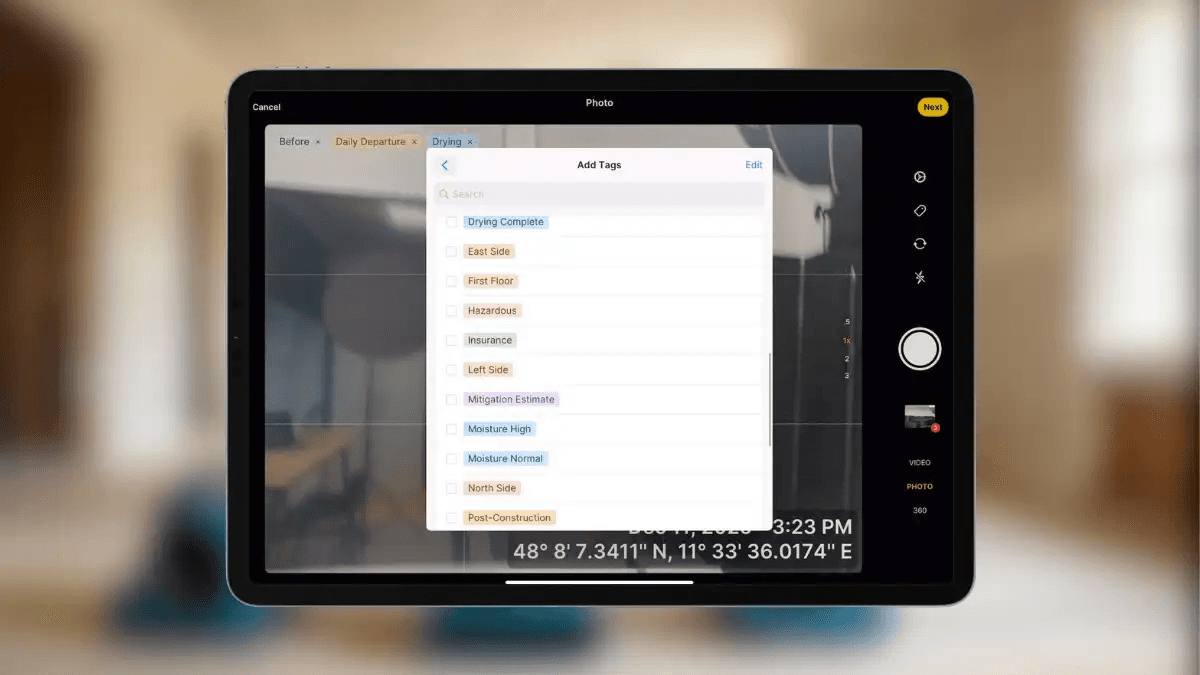
This level of organization isn’t just convenient. It’s actually critical when you’re working with adjusters or carriers that expect professional documentation. Clean, properly tagged photos build trust and reduce follow-up questions that can delay payment.
Running Lean Is About Working Smarter, Not Harder
The goal isn’t to turn a two-person restoration team into a tech company. It’s to use the right tools to buy back time, cut rework, and keep projects consistent. A lean, efficient operation has room to breathe. It lets you focus on delivering high-quality work. And it allows you to stay proactive about communication, follow up on jobs, and even take time off without panic.
And that’s exactly what you want, right?
So, get restoration contractor software that makes all of that possible. It’s just that easy.
STILL UNSURE ABOUT WHAT AI CAN DO?
Watch a Short Video to See Exactly How It Can Help Your Small Business Save Time
Share

Allan Bassenden
Director of Industry Relations & Partnerships





