Why Field-to-Estimator Handoffs Fail & How to Fix Them for Good
Restauration
4 min read
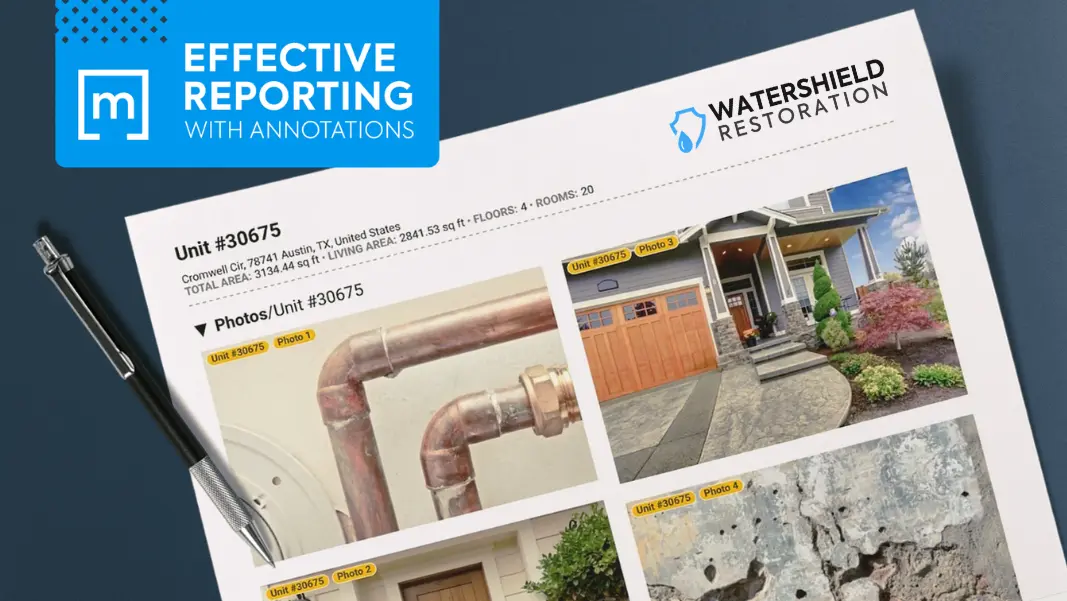
Every restoration job you run depends on one critical moment: the handoff between your field technician and your estimator. This is the point where things tend to fall apart – where jobs so often lose detail, documentation and dollars.
This article takes a practical look at why the handoff is so fragile and how a unified scoping and documentation workflow helps you tighten that gap, so your company’s estimates are faster, more accurate, and easier to defend.
Why the Handoff Breaks Down
Most restoration teams rely on a patchwork of tools to capture job data and that can cause problems. For example, photos might live on a technician’s phone. Job information may be shared through a hodge-podge of emails, text messages and shared folders. And team members may be juggling multiple apps, such as PSA, Albi, Ignite or Dash restoration software. When you’re working with a scattered workflow like this, it’s almost guaranteed that something slips through the cracks.
How These Gaps Impact Your Estimates
When a project handoff is messy, your estimator has to try to reconstruct the job inside Xactimate software with only fragments of a project’s full picture. Here are the three issues that tend to cause the most trouble:
Missing measurements: A tech may measure a room but forget to record it, or record it but forget to send it, or send it but label it in a way that makes no sense to the estimator. Without accurate dimensions, your estimator is forced to guess or worse, send someone back to the property.
Unlabeled or disorganized photos: A photo of a wall cavity is only useful if you know which wall cavity it is. When photos aren’t tied to rooms or line items, your estimator spends valuable time trying to match images to the right part of the job.
Inconsistent or incomplete notes: Techs often rely on shorthand or voice memos. Estimators need clear, complete descriptions. When those two worlds don’t align, you end up with confusion, callbacks, and disputes about what was done and when.
Issues like these slow down your estimating process, which delays approvals, which delays production, which delays payment.
But the bigger issue is accuracy. If your estimator doesn’t have complete, proper documentation, they can’t confidently justify the scope. That leads to under-scoping, over-scoping, or disputes with adjusters who want to see proof that all work is required and also completed correctly.
You’ve probably had moments where someone asks, “Who removed this baseboard?” or “When was this material taken out?” or “Why is this line item here?” Those questions usually trace back to one thing: the handoff wasn’t tight enough.
Having a Unified Project File Changes Everything
The secret to eliminating the problem of poor handoffs is to keep every piece of documentation: photos, notes, sketches, line items, forms, etc. inside a single project file. That file becomes the SOURCE OF TRUTH for the entire job, resulting in a handoff that’s complete, organized, and immediately usable by your estimator.
But you need a mobile app that’s designed exactly for that purpose.
How the Right Mobile App Can Solve the Handoff Problem
With a modern app like magicplan, which is designed specifically for quick, accurate handoffs, your field techs can scope effectively and efficiently to help your office-based estimator. Here are some key features that make that possible:
Linked Documentation
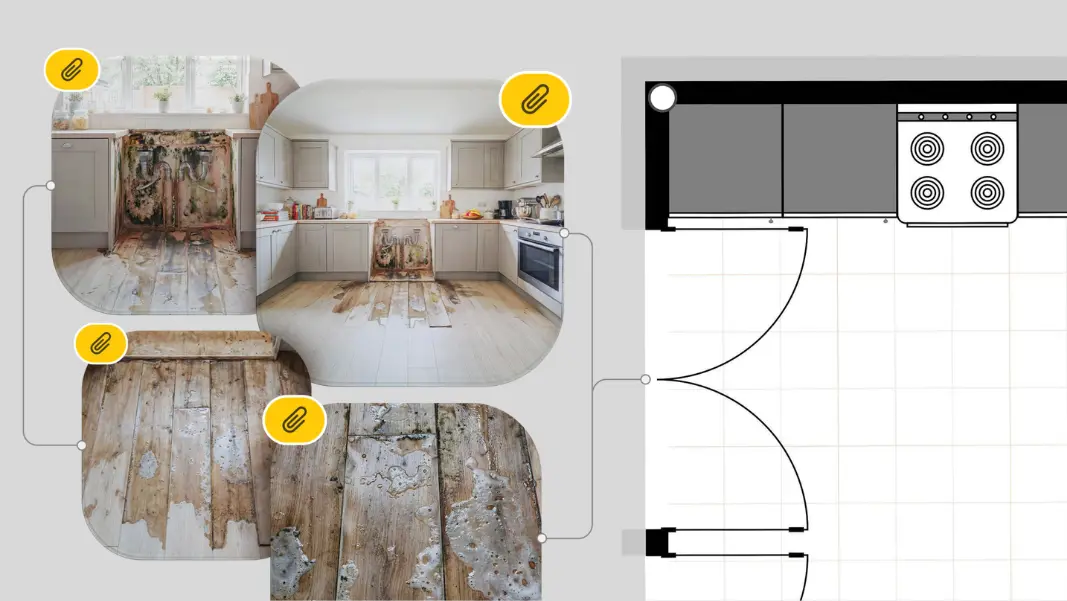
Every photo, note, and line item stays attached to the correct room or object. If a tech photographs a removed baseboard in the living room, that photo is permanently linked to the living room in the project file.
Scoping + Sketch in One Place
Your techs can scope the job while they sketch the floor plan. Measurements are captured automatically, and the sketch becomes the backbone of the scope. No more trying to match a hand-drawn sketch to a set of photos or notes.
Real-Time Syncing
As soon as your tech uploads from the field, the project updates across devices. Your estimator can start reviewing the file before the tech even leaves the property.
Photo Tags
Photos are automatically labeled with their location or purpose, keeping visual documentation organized. So, instead of a folder full of generically numbered images (such as “IMG_2043.jpg”), you get clear, contextual images that tell the story of the job.
AI Text Enhancement
Techs often record quick notes or voice memos. AI Text Enhancement converts those into clean, readable documentation that is helpful to your estimator.
ESX Export for Estimators
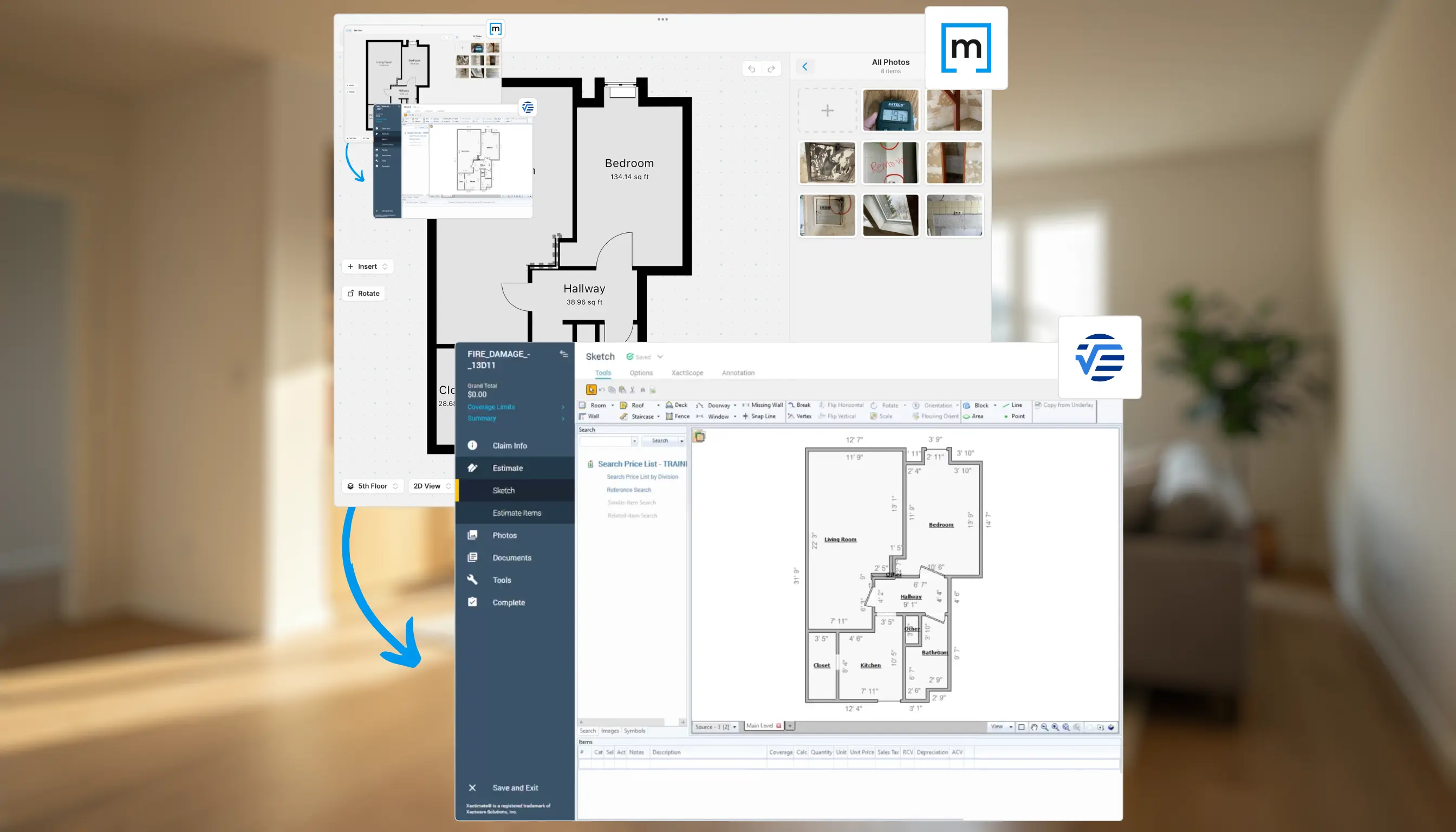
Once a scope is complete, your field tech can export it as an ESX file, so your estimator can open it directly in Xactimate estimate software. No re-entry. No missing items. In other words, the result is a handoff that’s complete, organized and immediately usable by your estimator.
What This Looks Like in Real Life
Imagine a water loss in a two-story home. Your tech arrives, opens magicplan sketch app software, and starts sketching the affected rooms. As they walk the property, they take photos, add notes, and tag line items. Everything syncs instantly.
By the time they get back in the truck, your estimator already has the full project file: floor plan, measurements, photos, notes, and scope. They open it, review it, and export it to ESX. No follow-up calls. No missing details. No confusion.
That’s what a clean handoff looks like.
Q&A: Common Questions Contractors Ask About Using magicplan
“My techs aren’t great with technology. Will this slow them down?”
Most techs pick it up quickly because the workflow mirrors what they already do — take photos, sketch rooms, and write notes. The difference is that everything stays organized automatically.
“What if the estimator needs more information?”
Because everything is linked to rooms and line items, it’s easy to see what’s missing. And with real-time syncing, techs can add details immediately.
“Does this replace my job management system?”
No. Think of magicplan as the scoping and documentation layer that feeds clean, complete data into whatever system you already use.
“Will this help with adjuster disputes?”
Absolutely. When every photo, measurement, and note is tied to the correct part of the job, you have a defensible record of what happened and why.
Isn’t it Time You Improved Your Field-to-Office Collaboration?
The handoff between your field team and your estimator doesn’t have to be a point of failure. When you unify your scoping, sketching, and documentation into one project file, you eliminate the guesswork that slows down estimates and eats into your margins. Using a claims documentation app such as Magicplan isn’t about adding another tool to your workflow. It’s about replacing a scattered process with a structured one that keeps your jobs moving and your documentation airtight.
LEARN ABOUT DIFFERENT ESTIMATING OPTIONS:
Xactimate, Cotality, QuickBooks, T&M: When and How to Use Each Effectively
Share

Silvia Corvi
Community Manager





