Restoration Team Collaboration: Keep Every Job Moving Without Chasing Your Crew
Restauration
3 min read
As a restoration company grows, the hard part isn't simply adding more people.
It's making sure everyone knows which jobs are theirs.
One technician needs today's water loss. Another crew is handling reconstruction. A project manager needs visibility across several jobs. The owner wants to know what's happening without being the person manually passing every project from one employee to the next.
That's where a structured workspace matters.
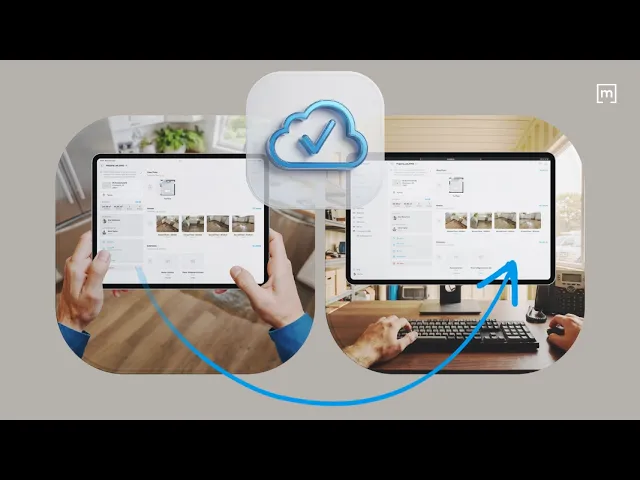
Instead of treating every technician as an isolated user, restoration teams can organize people around shared projects, assign ownership clearly, and keep the field record connected as the job moves through the company.
1. Bring Your Team Into One Workspace
The first step is giving everyone access to the same working environment.
In magicplan, workspace members can be invited directly by email. Once they accept the invitation and join the workspace, they become active members of the company setup.
For a restoration company, that creates a clearer structure than having individual employees running separate project files with no connection between them.
The goal isn't to give everyone access to everything. It's to create one place where the company can control how jobs move between people.
2. Assign Each Project to the Person Doing the Work
Not every member needs every project.
A technician should be able to open the jobs they're responsible for without digging through every loss in the company.
The workspace owner can assign a project to another member, add a message for context, and change the assignee when responsibility moves from one person to another.
That becomes especially useful when a job changes hands.
For example, an office manager can create the project, assign it to the technician doing the initial inspection, then later route the same project to another person as the work progresses.
The job moves. The record stays.
3. Keep Company-Wide Visibility Without Cluttering Every Technician's Screen
There's a difference between visibility and access to every job at once.
Workspace owners can see projects created by members across the workspace, while individual members don't necessarily see every project by default.
That matters as the company scales.
Technicians get a cleaner project list focused on the work they're actually handling, while managers can still step back and see what the wider team is doing.
It reduces clutter without giving up oversight.
4. Organize Crews With Teams
Once the company gets larger, assigning work person by person isn't always enough.
You may have:
Mitigation crews
Reconstruction teams
Estimators
Project managers
Branch-specific groups
CAT teams
Magicplan Teams allow workspace members to be grouped into smaller units. A member can also belong to more than one team when their role overlaps.
This gives growing restoration companies a more structured way to organize the people already working inside the workspace.
Why This Matters for Restoration Companies
The bigger operational problem isn't assigning a project.
It's what happens when responsibility isn't clear.
Jobs get buried. The office calls the wrong technician. Information gets copied into another system. The owner becomes the human routing layer holding the whole operation together.
Better restoration team collaboration removes some of that friction.
The field still does the work. The office still manages the operation. But the project itself becomes the handoff point between them, instead of context living in texts, calls, and someone's memory.
Build a Workflow That Doesn't Depend on the Owner
A restoration business gets harder to run when every project decision still flows through one person.
Clear workspace membership, project assignment and team structure help move responsibility closer to the people doing the job.
That means technicians know what they're working on. Managers maintain visibility. Teams can be organized around how the company actually operates. And the owner doesn't have to be the person connecting every dot.
That's the real value of collaboration software for restoration: not more communication, but less chasing.
READ MORE: Effective Communication with Clients: How Your Pest Control Business Can Close More Deals
Share

Sam Miller
RevOps Manager