How to Migrate from DocuSketch to magicplan (A Step-by-Step Guide)

Restoration

4 min read
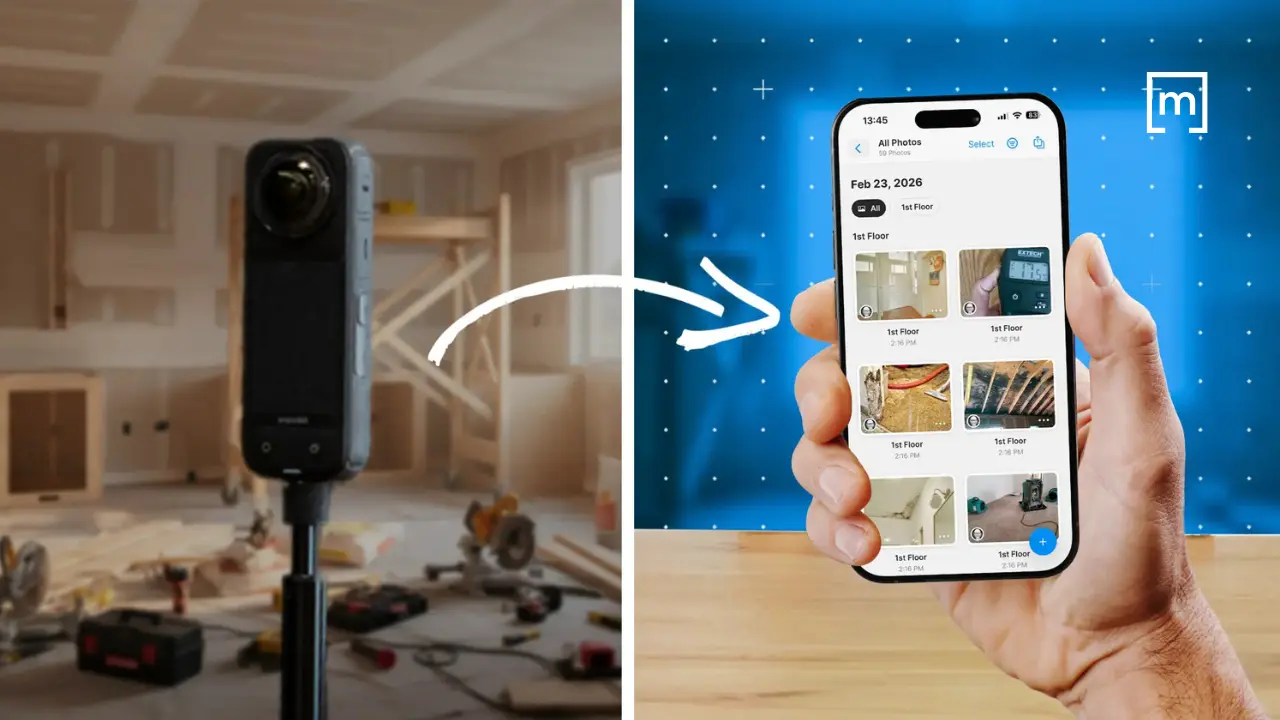
360° camera & a phone_docuskecth migration to magicplan

When you run a restoration company, you don’t have time for restoration software drama. You need tools that help your team document a job quickly, capture what matters, and hand it off cleanly to estimating — without slowing down production or retraining your entire staff every time a platform changes direction.

If you’ve been using DocuSketch for a while, it’s probably woven into your workflow. Your techs know how to walk a site with it. Your estimators know what to expect from the output. And you may be hesitant to touch anything that “works well enough,” even if it creates friction behind the scenes.

But here’s the reality many contractors are facing: DocuSketch’s workflow is evolving, and the ‘cost of switching software’ argument isn’t what it used to be. If you’ve been thinking about moving to magicplan — or if you’re simply trying to understand what a practical transition looks like — this guide is written for you. Not as a sales pitch, but as a field-aware roadmap for making the shift without disrupting jobs in progress.

Why Contractors Are Re-evaluating Their Claims Documentation Workflow

Let’s start with the pain points you already know too well:

  • Delays between capture and usable documentation

  • Inconsistent field habits across technicians

  • Too much cleanup work before estimating can begin

  • Handoff friction between field and office

  • Training overhead every time a tool changes or adds steps

DocuSketch has helped many restoration teams standardize documentation, but it also leans heavily on a service-driven workflow. That means you’re often waiting on someone else to finish the job before you can move forward. When you’re dealing with any type of restoration project—water, mold, reconstruction, contents, or general mitigation—waiting can cost you time, clarity, and sometimes scope.

But magicplan takes a different approach. It’s built for contractors who want more control in the field, a direct path from capture to estimate, and less dependency on external processing. The goal isn’t to replace one app with another; it’s to streamline the entire capture-to-estimate pipeline.
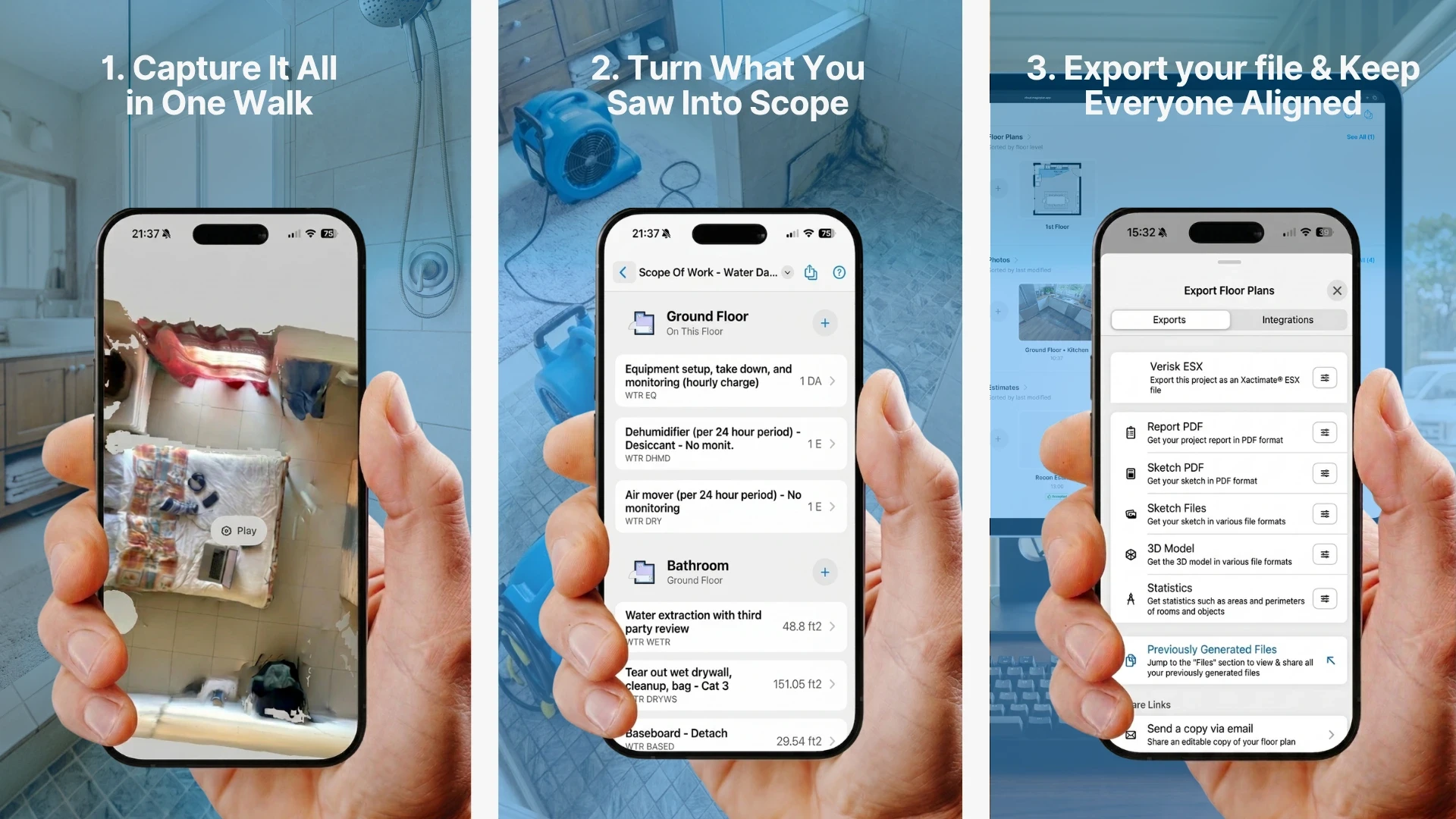
water damage documentation with a phone & magicplan

What You Actually Gain by Moving to magicplan

If you’re considering a switch, it’s not because you want new software. It’s because you want fewer headaches. Here’s what contractors typically gain:

Field Control Without the Lag

magicplan lets your techs document rooms, capture photos, add notes, and build scope details on site without waiting for a processed tour or corrected floor plan. That means:

  • Faster turnaround

  • More accurate documentation

  • Less back-and-forth with the office

Cleaner Handoffs to Estimators

Exporting to restoration estimating software is straightforward. And because magicplan ties photo documentation, notes, and measurements directly to the floor plan, estimators get a clearer picture of the job. No more digging through folders or trying to interpret someone’s capture habits.

Standardized Capture Across Technicians

You can build templates, checklists, and required capture items so every tech documents a job the same way. That consistency is gold when you’re dealing with adjusters or internal QA.

A Shorter Path to Estimate-ready Files

magicplan exports .ESX files directly to Xactimate® software, enabling seamless transfer of floor plan sketches, room dimensions, photos, and annotation data. That means fewer steps between the first visit and the estimate and fewer opportunities for things to get lost or misinterpreted.

Less Reliance on Service-Heavy Processes

If you’ve ever waited on a processed tour or had to request corrections, you already know the pain. magicplan reduces that dependency by giving your team the tools to produce usable documentation immediately.

If you’re considering a switch, it’s not because you want new software. It’s because you want fewer headaches. Here’s what contractors typically gain:

Field Control Without the Lag

magicplan lets your techs document rooms, capture photos, add notes, and build scope details on site without waiting for a processed tour or corrected floor plan. That means:

  • Faster turnaround

  • More accurate documentation

  • Less back-and-forth with the office

Cleaner Handoffs to Estimators

Exporting to restoration estimating software is straightforward. And because magicplan ties photo documentation, notes, and measurements directly to the floor plan, estimators get a clearer picture of the job. No more digging through folders or trying to interpret someone’s capture habits.

Standardized Capture Across Technicians

You can build templates, checklists, and required capture items so every tech documents a job the same way. That consistency is gold when you’re dealing with adjusters or internal QA.

A Shorter Path to Estimate-ready Files

magicplan exports .ESX files directly to Xactimate® software, enabling seamless transfer of floor plan sketches, room dimensions, photos, and annotation data. That means fewer steps between the first visit and the estimate and fewer opportunities for things to get lost or misinterpreted.

Less Reliance on Service-Heavy Processes

If you’ve ever waited on a processed tour or had to request corrections, you already know the pain. magicplan reduces that dependency by giving your team the tools to produce usable documentation immediately.

A Field-Practical Migration Path

Here’s the part that probably interests you the most: a phased, step-by-step approach that makes the software transition completely doable.

Step 1: Identify Where DocuSketch Lives in Your Current Workflow

Before you change anything, map out how your team uses DocuSketch today:

  • Who captures the site?

  • When does estimating get the files?

  • What cleanup or corrections are needed before estimating can begin?

  • Where do delays or frustrations happen?

This gives you a baseline so you can make a clean transition.

Step 2: Start With One Technician or One Job Type

Don’t flip the whole company at once. Pick one of the following for starters:

  • One tech who’s comfortable with mobile apps

  • Or one job type (water mitigation, mold, reconstruction, contents, etc.)

This lets you test the workflow without risking production.

Step 3: Build Your magicplan Templates

magicplan allows you to create:

  • Room templates

  • Capture checklists

  • Required photos

  • Standard notes

  • Job-type-specific documentation requirements

This is where you standardize what “good documentation” looks like for your company.

home restorer documents a water, mold damaged site

Step 4: Run Both Tools in Parallel for 2–3 Jobs

This isn’t about redundancy, it’s about confidence. Running both tools briefly helps you:

  • Compare outputs

  • Validate that magicplan captures everything you need

  • Confirm that estimators can work from the new format

Most contractors find that magicplan’s clarity actually reduces the amount of cleanup needed.

Step 5: Train Your Team in Short, Field-Focused Sessions

Your techs don’t need a classroom session. They need:

  • A 10-minute walkthrough on how to start a project

  • A quick demo of capturing rooms

  • A checklist of what to document for each job type

  • A sample plan they can reference

Keep it practical and tied to real jobs.

a project manager learning how to use magicplan

Step 6: Transition Estimators and PMs

Estimators often feel the most pain when documentation is inconsistent. Show them:

  • How photos link directly to the plan

  • How notes and measurements are embedded

  • How scoping can happen immediately

When estimators see the reduction in cleanup work, they usually become your biggest advocates.

Step 7: Transition to Scoping All New Jobs with magicplan

Once your team is comfortable, start all new jobs in magicplan. Keep DocuSketch only for jobs already in progress to avoid confusion.

Here’s the part that probably interests you the most: a phased, step-by-step approach that makes the software transition completely doable.

Step 1: Identify Where DocuSketch Lives in Your Current Workflow

Before you change anything, map out how your team uses DocuSketch today:

  • Who captures the site?

  • When does estimating get the files?

  • What cleanup or corrections are needed before estimating can begin?

  • Where do delays or frustrations happen?

This gives you a baseline so you can make a clean transition.

Step 2: Start With One Technician or One Job Type

Don’t flip the whole company at once. Pick one of the following for starters:

  • One tech who’s comfortable with mobile apps

  • Or one job type (water mitigation, mold, reconstruction, contents, etc.)

This lets you test the workflow without risking production.

Step 3: Build Your magicplan Templates

magicplan allows you to create:

  • Room templates

  • Capture checklists

  • Required photos

  • Standard notes

  • Job-type-specific documentation requirements

This is where you standardize what “good documentation” looks like for your company.

home restorer documents a water, mold damaged site

Step 4: Run Both Tools in Parallel for 2–3 Jobs

This isn’t about redundancy, it’s about confidence. Running both tools briefly helps you:

  • Compare outputs

  • Validate that magicplan captures everything you need

  • Confirm that estimators can work from the new format

Most contractors find that magicplan’s clarity actually reduces the amount of cleanup needed.

Step 5: Train Your Team in Short, Field-Focused Sessions

Your techs don’t need a classroom session. They need:

  • A 10-minute walkthrough on how to start a project

  • A quick demo of capturing rooms

  • A checklist of what to document for each job type

  • A sample plan they can reference

Keep it practical and tied to real jobs.

a project manager learning how to use magicplan

Step 6: Transition Estimators and PMs

Estimators often feel the most pain when documentation is inconsistent. Show them:

  • How photos link directly to the plan

  • How notes and measurements are embedded

  • How scoping can happen immediately

When estimators see the reduction in cleanup work, they usually become your biggest advocates.

Step 7: Transition to Scoping All New Jobs with magicplan

Once your team is comfortable, start all new jobs in magicplan. Keep DocuSketch only for jobs already in progress to avoid confusion.

Addressing the Common Fears About Switching

“My team is already trained on DocuSketch.”

True — but they’re trained on capturing a site, not on a specific app. Most techs pick up magicplan quickly because it mirrors how they already think about documenting a job.

“I don’t want to slow down site visits.”

magicplan is built for speed. Most contractors find that once templates are in place, capture is actually faster.

“I’m worried about losing consistency.”

magicplan’s templates and required capture items actually increase consistency across techs.

“Estimators won’t want to learn something new.”

Estimators usually care about one thing: getting clean, complete documentation. magicplan gives them that with fewer steps.

“Switching tools will disrupt jobs in progress.”

Not if you follow the phased approach above. You can migrate new jobs while finishing old ones in DocuSketch.

Why This Migration Is Really a Process Improvement

This isn’t about swapping one app for another. It’s about tightening your entire workflow:

  • Less waiting

  • Less cleanup

  • Less friction

  • More control in the field

  • More consistent documentation

  • Faster estimating

  • Better adjuster communication

When you look at it through that lens, the question isn’t “Should we switch?” It’s “How much longer do we want to deal with the inefficiencies we already know exist?”

Conclusion

If you’ve been using DocuSketch for years, switching tools may feel risky at first. But when you consider that magicplan is about building a cleaner, more controlled, more predictable workflow from the first site visit to the final estimate, the switch makes a lot of sense.

Plus, a phased, step-by-step approach, makes the transition completely doable — without slowing down production or disrupting jobs in progress. And when your team sees the speed and clarity of the new workflow, the switch will stop feeling like a burden and start feeling like an upgrade.

READ MORE: Modern Scoping: How Restoration Pros Capture Every Line Item