How Restoration Companies Can Use AI Without Losing Control (The Ultimate Guide)
Restoration
5 min read

If you run a restoration company, you already know the truth: the physical work is rarely the hardest part. It’s the claims documentation that drains your time. It’s the notes scattered across five places, the unlabeled photos, the new tech who doesn’t know what to capture, and the claims that stall because the file is thin or messy. AI is being hyped as the cure for all of this, but the real value comes from something much more practical: using AI to speed up the boring parts of the job while you keep full control of the story, the data, and the estimate. This guide shows exactly how to do that.
Why AI Matters for Restoration Right Now
AI is no longer a futuristic add‑on. It’s becoming a standard part of field documentation because it solves real, everyday problems. Across the industry, you’re seeing AI tools that turn spoken words into notes, generate reports automatically, summarize walkthrough videos, and even read moisture meters from a photo. Capabilities such as these help contractors capture information faster, train new hires more effectively, and improve the process of documenting a loss against an insurance policy. The end result is project documentation that is more complete, more readable, and easier to review.
The Real Problems AI Can Solve in Your Day-to-Day Work
From job to job, you may see the same issues over and over:
You have notes in five different places: a yellow pad in the truck, text messages, random photo documentation in someone’s camera roll, an app or two, and then a half-finished report on a laptop. By the time an estimator touches the file, they have to hunt for the story of the loss and piece together what actually happened on site.
You have photos with no labels or context. Three weeks later, nobody is sure which room “IMG_4321” belongs to or whether that was pre-existing damage or part of the covered loss. That uncertainty invites pushback, delays and rework.
Reports require late-night hours to finish. Techs spend their evenings trying to turn scattered notes and pictures into daily logs, scope notes, or client updates, often rewriting the same information over and over.
New hires do not know what to capture or how to write it clearly. They might be strong in the field but weak at explaining the “why” behind the work, which leads to thin files and more questions from adjusters.
Claims get slowed down because files are messy or thin on proof. Even if the work was done correctly, the documentation does not make that obvious, and you end up stuck in back-and-forth emails instead of moving on to the next job.
The AI Capabilities Coming to the Forefront in Restoration
Where AI Fits Into a Structured Workflow (Without Taking Over)
The biggest mistake you can make is letting AI become another disconnected tool. The goal isn’t to bolt on a dozen AI apps and hope they work together. The goal is to let AI sit on top of a structured workflow you already trust.
This is where an existing AI platform like magicplan restoration software plays an important role — not as a flashy AI gadget, but as the documentation base layer that keeps your project data organized. When your floor plans, photos, notes and scopes all live in one place, AI tools can plug in cleanly. They can tidy your data, summarize your information, and reduce admin time without scattering files across devices or apps.
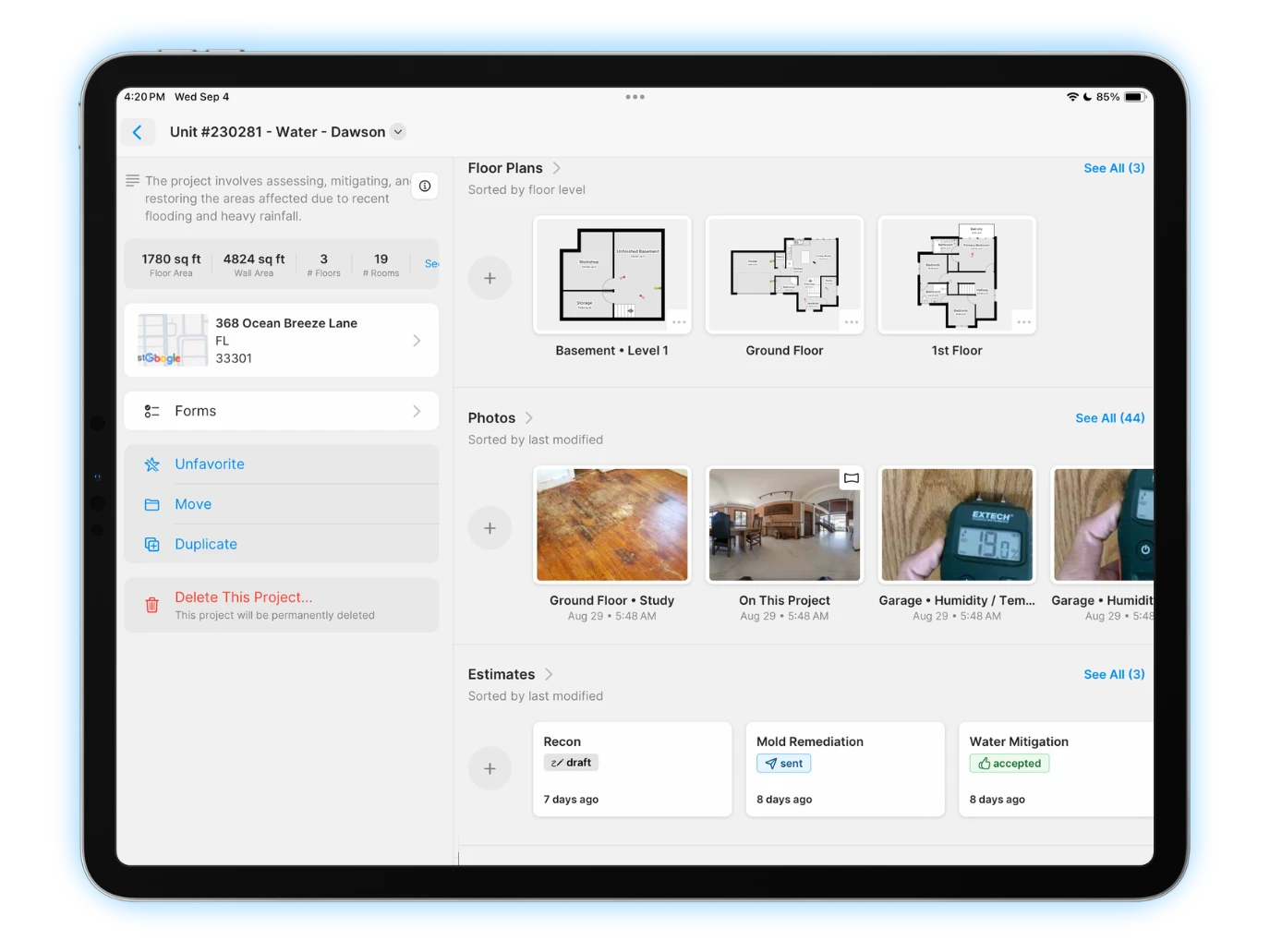
Because magicplan restoration management software already supports structured workflows and exports (including ESX for Xactimate), it gives you a safe foundation to adopt AI-powered features — including spatial data capture, automatic sketches, and a new voice-to-text capability with AI tag enhancements. The magicplan app also can work alongside other modern AI tools — letting you test auto-notes, AI summaries, or other AI features safely within an organized project system.
Basically, it comes down to this: magicplan gives you a source of truth you control, so AI becomes a helper instead of a risk.
Closing Thoughts
AI is not here to run your restoration business for you. It’s here to quietly accelerate and clean up the admin work that drags down you and your team, so you can focus on running jobs, leading people, and growing the business. When you make a platform like magicplan your documentation base layer, you get faster notes, stronger scopes, clearer reports, better estimates — and a single source of truth that you control from first photo to final invoice. Used that way, AI does not replace your expertise or your sense of control; instead, it amplifies your expertise and influence to help support the success of your business.