



Contents
About the integration
What it does
How it works?
Requirements
How to set it up
FAQs
About the integration
This integration connects ServiceM8 with magicplan to sync field service jobs and project data. It allows you to automate job dispatching and data transfer between the office and the job site.
What it does
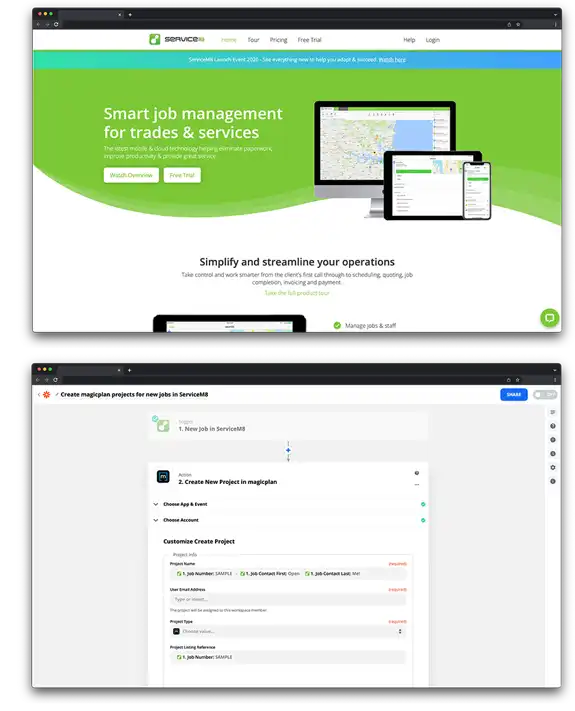
Create new magicplan projects automatically when a new job is added in ServiceM8.
Generate new ServiceM8 jobs automatically when you export a project in magicplan.
Sync customer contact details and job locations from ServiceM8 into magicplan project fields.
How it works?
The connection uses Zapier to link ServiceM8 and magicplan. When a job event occurs in ServiceM8, it triggers an action in magicplan. You can also configure triggers in magicplan to send data back to ServiceM8 after a project is completed.
Requirements
Active magicplan account
ServiceM8 account
Zapier account
How to set it up
Log in to your Zapier account.
Search for and select ServiceM8 and magicplan as your two apps.
Choose a trigger from ServiceM8, such as "New Job."
Choose an action for magicplan, such as "Create Project."
Follow the prompts to log in and authorize your ServiceM8 and magicplan accounts.
Map the data fields to ensure customer names and addresses from ServiceM8 appear in the correct magicplan fields.
Test the connection and turn on the Zap.