



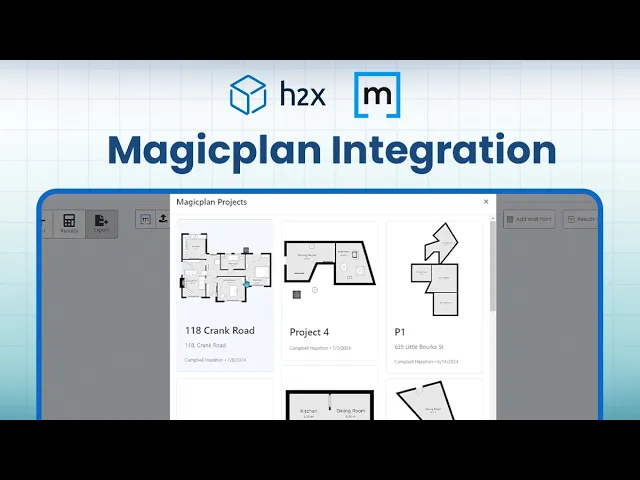
H2X magicplan Integration

Project management

Project management

Software

Software

viaSocket logo magicplan integration

Contents

About the integration

What it does

How it works?

Requirements

How to set it up

FAQs

About the integration

This integration connects floor plan data with building services design software. Users can transfer room dimensions and layout details directly into H2X to perform heat loss calculations and design MEP systems.

What it does

  • Import magicplan floor plan files directly into H2X projects

  • Perform room-by-room heat loss calculations based on captured dimensions

  • Calculate pipe and duct sizing automatically using layout geometry

  • Generate equipment bills of materials directly from floor plan layouts

How it works?

Users capture room geometry and dimensions in magicplan and export the floor plan file. The file is then uploaded directly into H2X, where the software uses the spatial data to run engineering calculations and design HVAC and plumbing layouts.

Requirements

  • Active magicplan account

  • Active H2X account

  • Exported magicplan floor plan file

How to set it up

  1. Log in to your magicplan account and export your completed floor plan file.

  2. Log in to your H2X web dashboard.

  3. Create a new project or open an existing project in H2X.

  4. Go to the design canvas and select the option to import floor plans.

  5. Upload your floor plan file to align scale and begin mechanical and plumbing design calculations.

Foire aux questions

Do I need a Zapier account to connect magicplan and H2X?

No, the file transfer works directly by importing exported floor plan files into H2X.

Will room dimensions from magicplan automatically update in H2X if I change them later?

Changes made in magicplan do not automatically update in H2X. You must re-export and re-import the updated file to update project dimensions.

What file format should I use when transferring floor plans to H2X?

Export standard vector or image formats from magicplan that H2X supports for background trace and layout mapping.

Do I need a Zapier account to connect magicplan and H2X?

No, the file transfer works directly by importing exported floor plan files into H2X.

Will room dimensions from magicplan automatically update in H2X if I change them later?

Changes made in magicplan do not automatically update in H2X. You must re-export and re-import the updated file to update project dimensions.

What file format should I use when transferring floor plans to H2X?

Export standard vector or image formats from magicplan that H2X supports for background trace and layout mapping.