



Contents
About the integration
What it does
How it works?
Requirements
How to set it up
FAQs
About the integration
This integration connects Zendesk Sell with magicplan to sync sales data and project workflows. It allows you to move information between your sales pipeline and your floor plans without manual data entry.
What it does
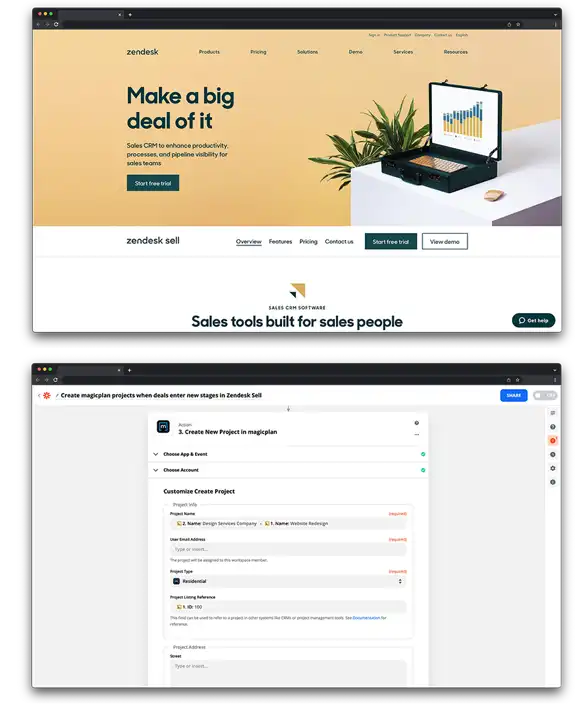
Create new magicplan projects automatically when a deal enters a specific stage in Zendesk Sell.
Update Zendesk Sell deal records with details from magicplan once a project is exported.
Generate notes in Zendesk Sell containing links to exported magicplan files and photos.
Transfer customer contact information from Zendesk Sell records directly into magicplan project fields.
How it works?
The connection uses Zapier to bridge Zendesk Sell and magicplan. You define a trigger in one app, such as moving a deal to a new pipeline stage, which results in an action in the other app, such as creating a project.
Requirements
Active magicplan account
Zendesk Sell account
Zapier account
How to set it up
Log in to your Zapier account.
Select Zendesk Sell and magicplan from the app gallery.
Set Zendesk Sell as the trigger app and choose an event like "New Deal" or "Deal Changed Stage."
Set magicplan as the action app and choose "Create Project."
Follow the prompts to log in and authorize both accounts.
Map the data fields to ensure customer names and addresses from Zendesk Sell populate the correct fields in magicplan.
Test the workflow to confirm data transfers correctly and turn on the Zap.