



JobNimbus magicplan integration

CRM

CRM

Software

Software

About the integration

This integration connects JobNimbus with magicplan to sync job details and project documentation. It allows you to automate project creation and file management between your CRM and floor plan software.

This integration connects JobNimbus with magicplan to sync job details and project documentation. It allows you to automate project creation and file management between your CRM and floor plan software.

What it does

  • Create new magicplan projects automatically when a new job is created in JobNimbus.

  • Transfer customer contact details and property addresses from JobNimbus to magicplan project fields.

  • Attach exported magicplan floor plans and reports directly to the relevant job in JobNimbus.

  • Sync site photos taken in magicplan with JobNimbus job records.

How it works?

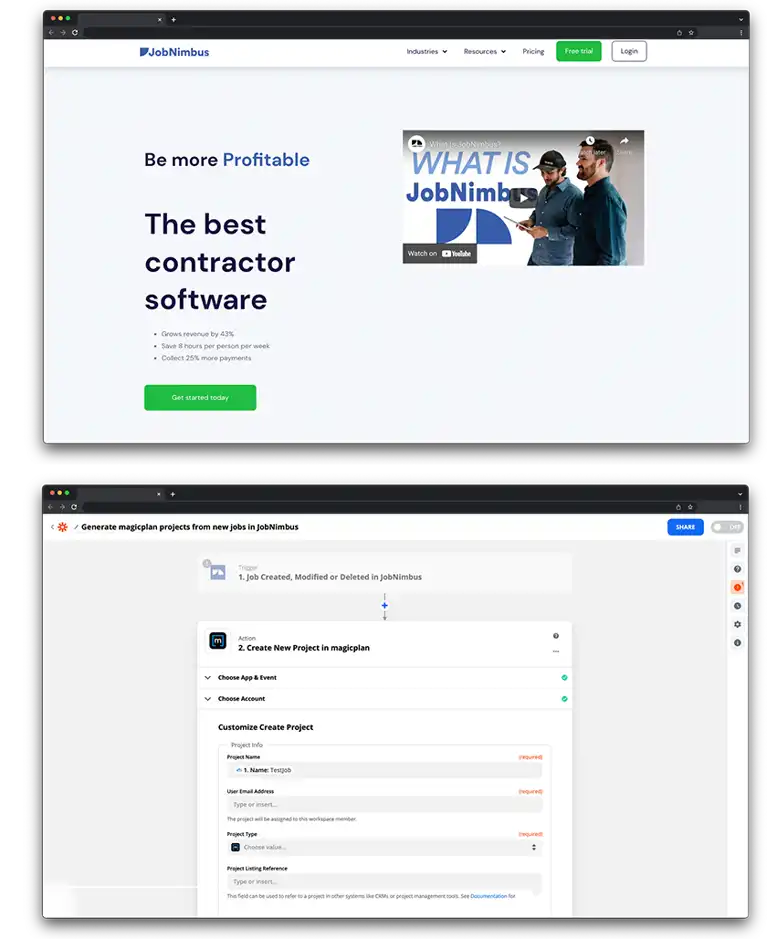
The connection uses Zapier to link JobNimbus and magicplan. When you add a job or update a record in JobNimbus, Zapier triggers the creation of a corresponding project in magicplan. Once work is finished in magicplan, exports are sent back to JobNimbus as attachments.

Requirements

  • Active magicplan account

  • JobNimbus account

  • Zapier account

How to set it up

  1. Log in to your Zapier account.

  2. Select JobNimbus and magicplan from the app list.

  3. Choose a trigger from JobNimbus, such as "New Job."

  4. Choose an action for magicplan, such as "Create Project."

  5. Log in to your JobNimbus and magicplan accounts to authorize the connection.

  6. Map the JobNimbus data fields, like Customer Name and Address, to the magicplan project fields.

  7. Set up a second action or Zap to send magicplan exports back to JobNimbus as job attachments.

  8. Test the workflow and turn on the Zap.

Frequently Asked Questions

Can I choose which JobNimbus job types trigger a magicplan project?

Yes, you can use Zapier filters to ensure projects are only created for specific job types or statuses.

Do the files uploaded from magicplan appear in the JobNimbus Activity feed?

Yes, files sent from magicplan will appear in the attachments or documents section of the specific JobNimbus record.

Is a specific JobNimbus subscription required?

You must have a JobNimbus plan that allows for API access or Zapier integrations.

Can I choose which JobNimbus job types trigger a magicplan project?

Yes, you can use Zapier filters to ensure projects are only created for specific job types or statuses.

Do the files uploaded from magicplan appear in the JobNimbus Activity feed?

Yes, files sent from magicplan will appear in the attachments or documents section of the specific JobNimbus record.

Is a specific JobNimbus subscription required?

You must have a JobNimbus plan that allows for API access or Zapier integrations.

Can I choose which JobNimbus job types trigger a magicplan project?

Yes, you can use Zapier filters to ensure projects are only created for specific job types or statuses.

Do the files uploaded from magicplan appear in the JobNimbus Activity feed?

Yes, files sent from magicplan will appear in the attachments or documents section of the specific JobNimbus record.

Is a specific JobNimbus subscription required?

You must have a JobNimbus plan that allows for API access or Zapier integrations.


